

How do I download company apps?
Your company apps are available through deeploi. You do not need to search for them online or enter a licence key. Some apps are installed automatically, and you can download more from the deeploi app store on your device.
Which apps are already installed?
Once you have connected your work device to deeploi, a set of apps is installed automatically. Connect your device first if you have not done so yet: Mac or Windows.
| What to know | What it means |
|---|---|
| Chosen by your employer | Your employer decides which apps are installed, based on your role, company needs, and security requirements. |
| Required and cannot be removed | These apps are needed for your work and the security of your device. You cannot uninstall them. |
How do I install more apps?
The deeploi app store lets you add apps that are not installed yet. Every app in it is approved by your company and safe to use.
- Open Managed Software Center on your Mac. Find it in Launchpad, in your Applications folder, or by searching with Spotlight.
- Browse the available apps or use the search to find a specific one.
- Click Install next to the app you want.
The app installs automatically. No administrator password is needed.
- Click the deeploi icon in your taskbar (bottom right of your screen).
- Select deeploi App Store in the menu.
- Click Install next to the app you want.
The app installs automatically.
Can't find the deeploi icon? You can open the deeploi Companion in one of two ways.
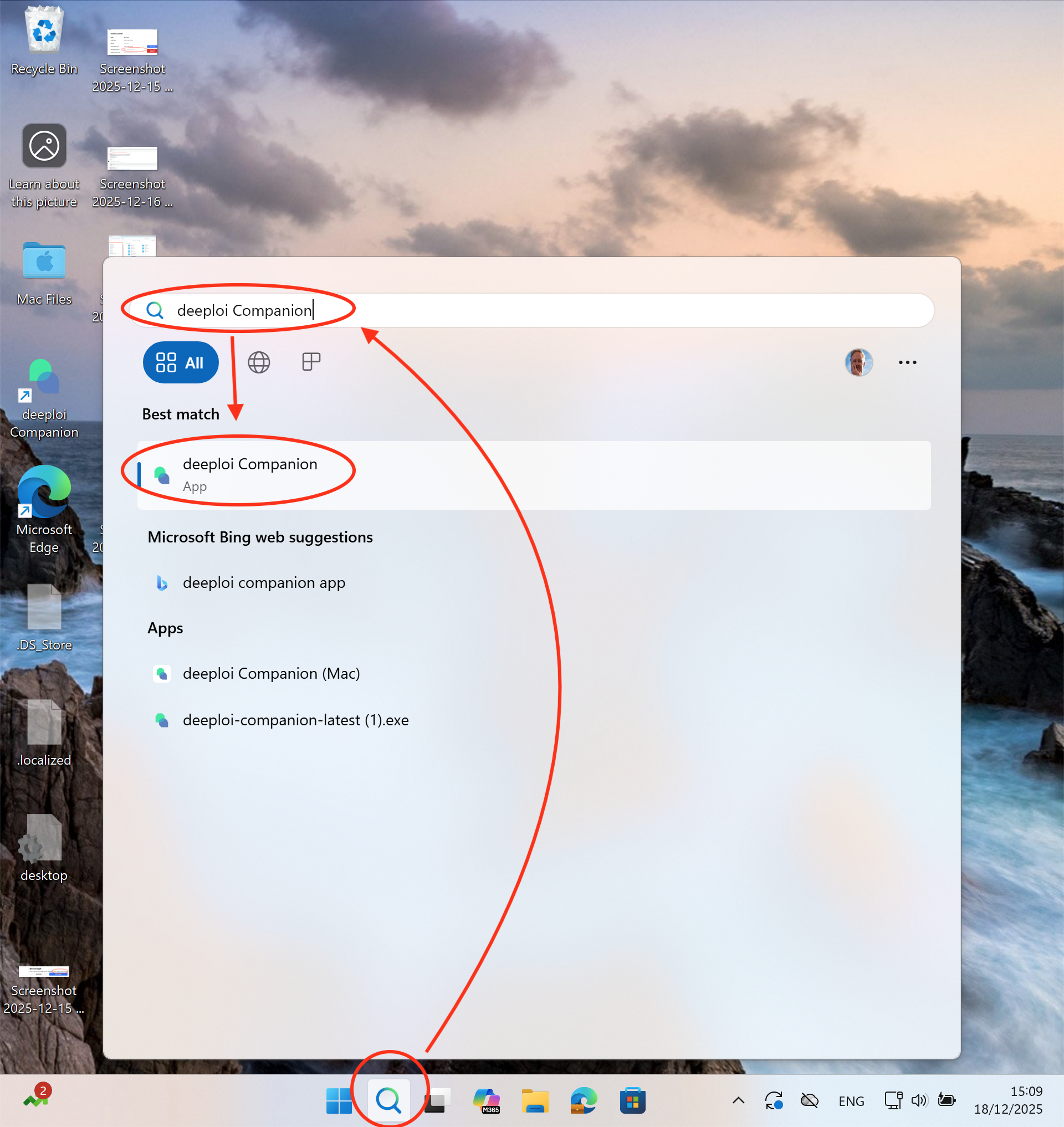
Option 1: Use Windows search
Click the magnifying glass in the taskbar, type deeploi Companion, and click the app in the results.
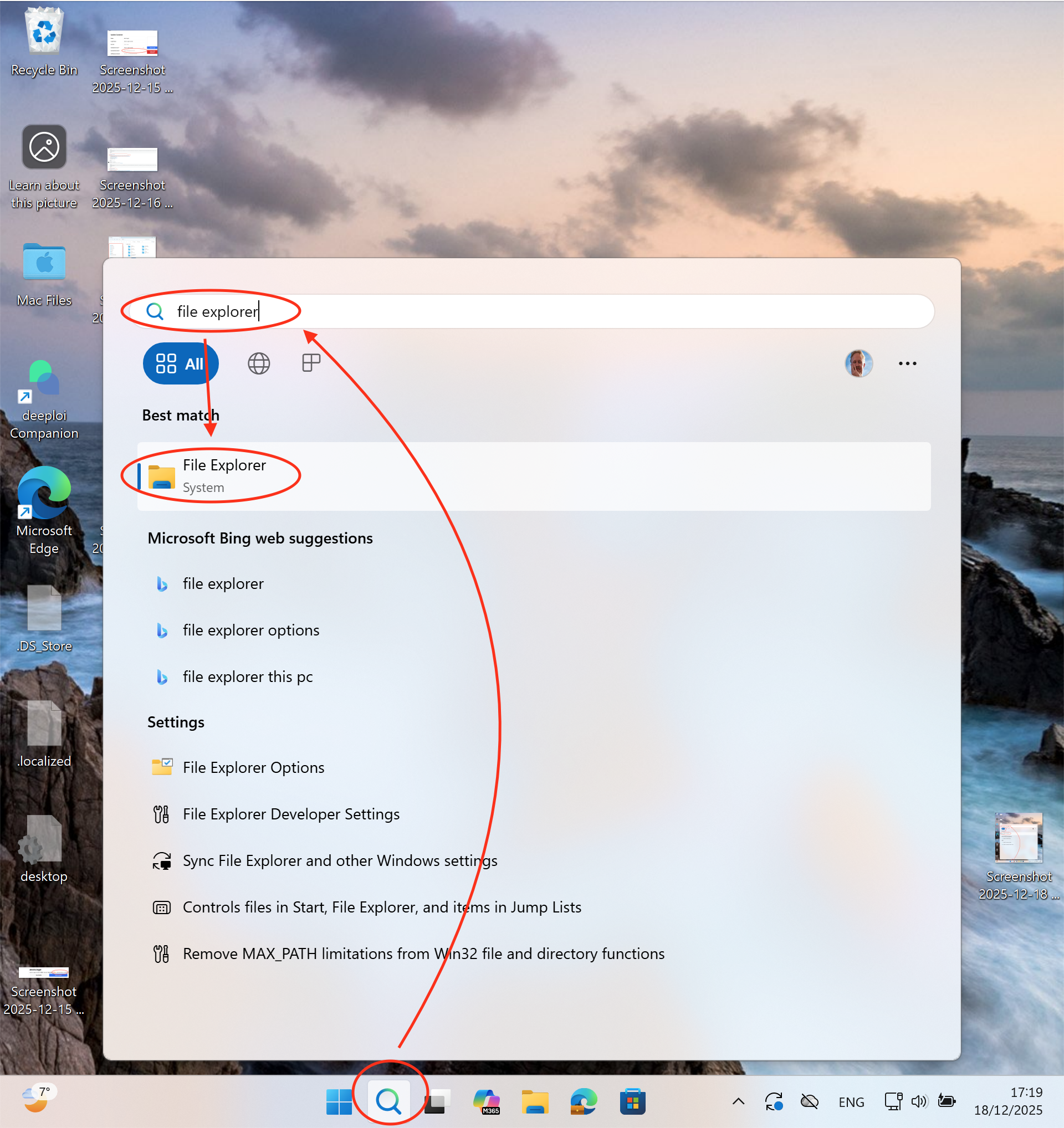
Option 2: Use File Explorer
- Click the magnifying glass in the taskbar, type
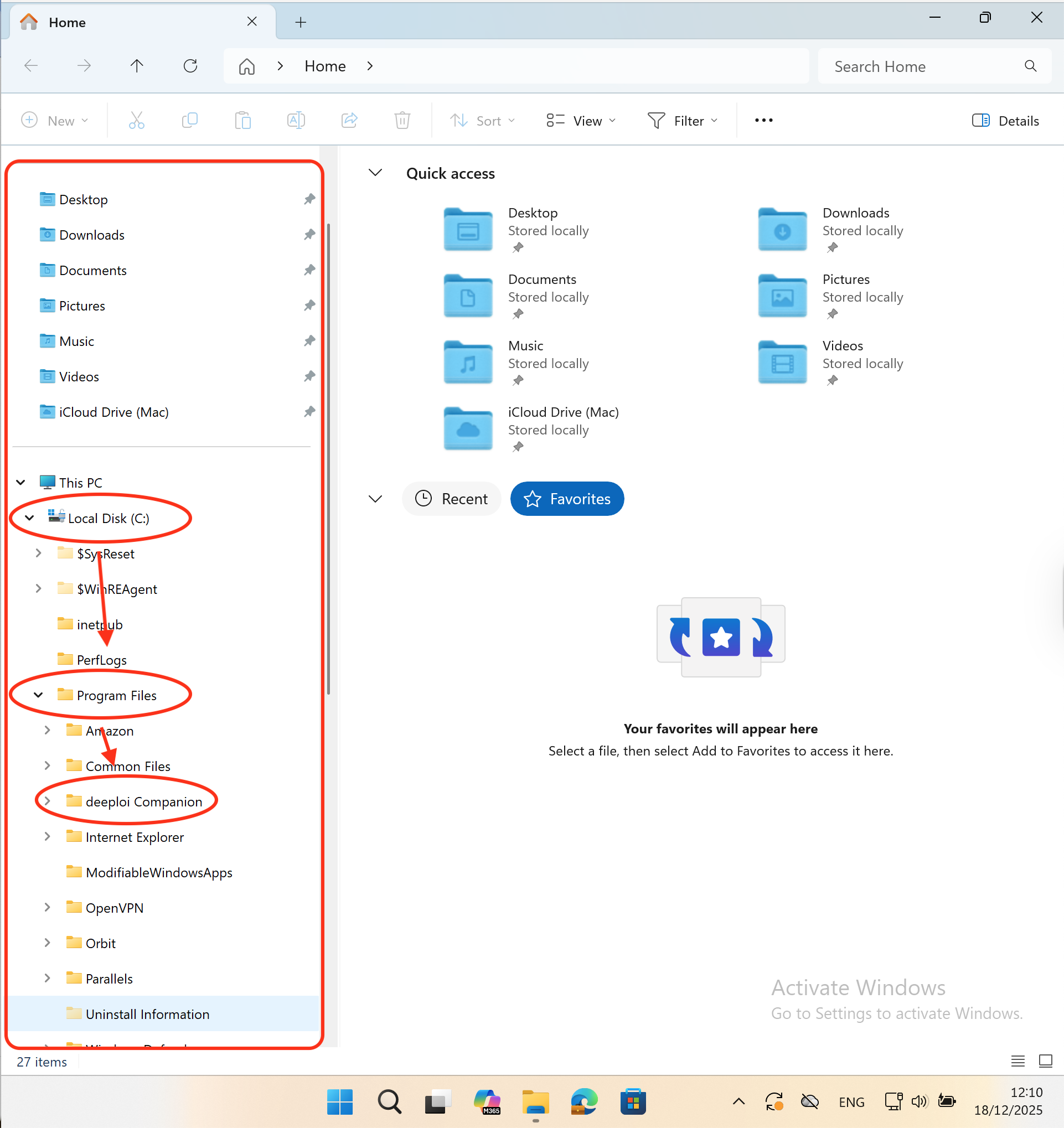
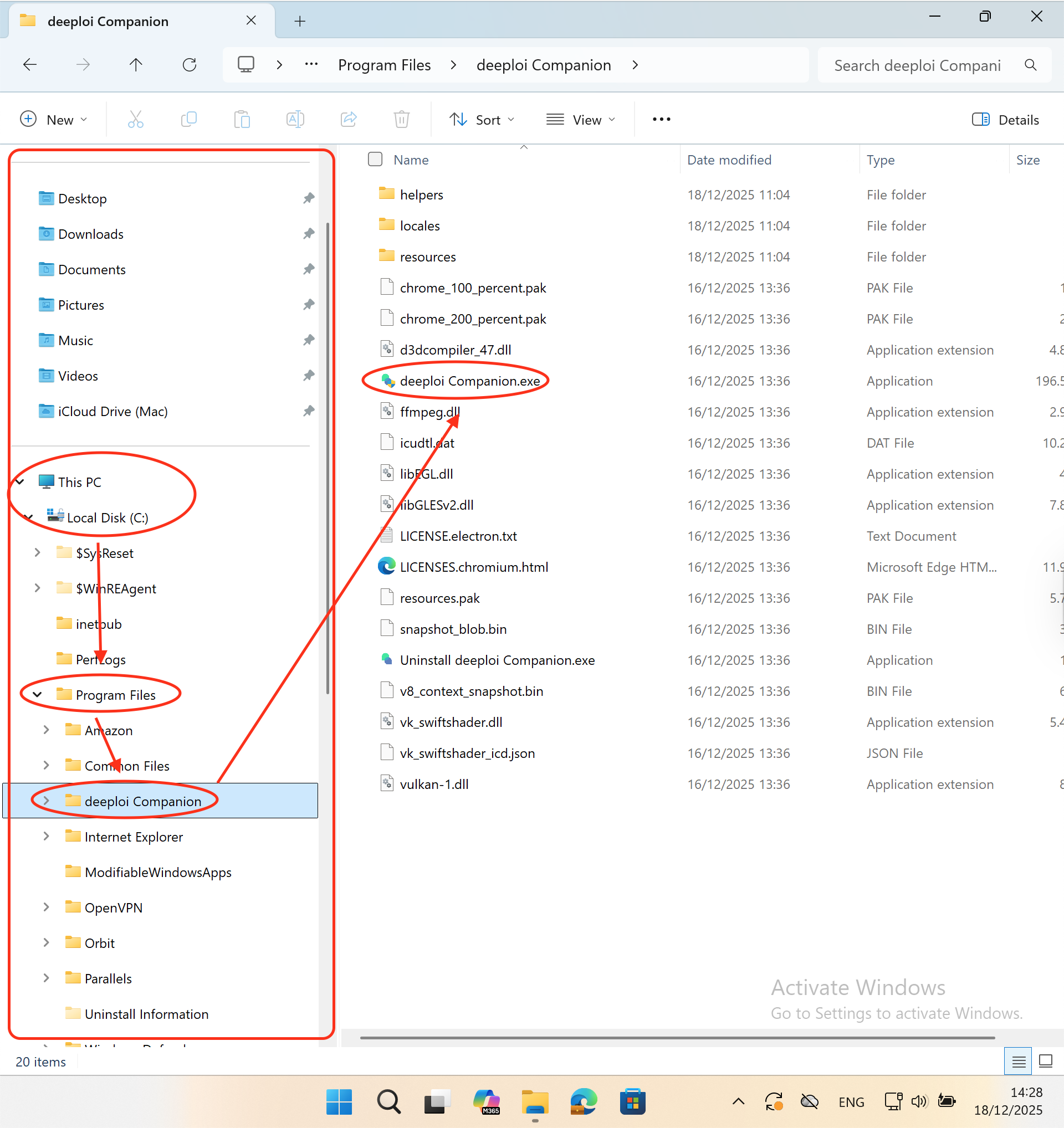
file explorer, and open File Explorer. - In the left sidebar, go to Local Disk (C:) → Program Files → deeploi Companion.
- Double-click deeploi Companion.exe to start the app.
If an app is missing
If you cannot find a specific app, contact your IT admin or reach out to hello@deeploi.io. They can check whether the app is available and add it for you.