

Does my company use Google or Microsoft?
Your company uses either Google Workspace or Microsoft 365 for work email and file sharing. The apps you use, and how you sign in, depends on which one your company has chosen.
What is a workspace account?
A workspace account is your work login for a set of tools you use every day: email, documents, file storage, calendars, and video calls. Your company sets it up for you, and you use it for all work-related communication and collaboration.
How do I know which one my company uses?
Check your welcome email from deeploi. It will tell you which workspace your company uses and provide your login details.
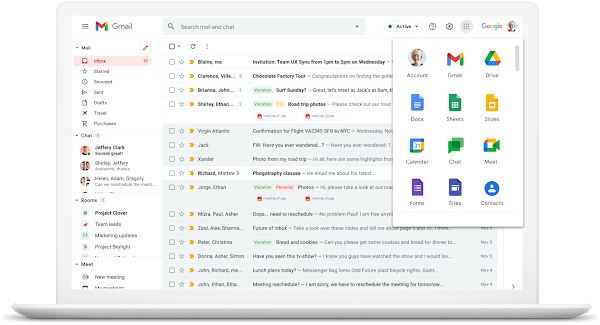
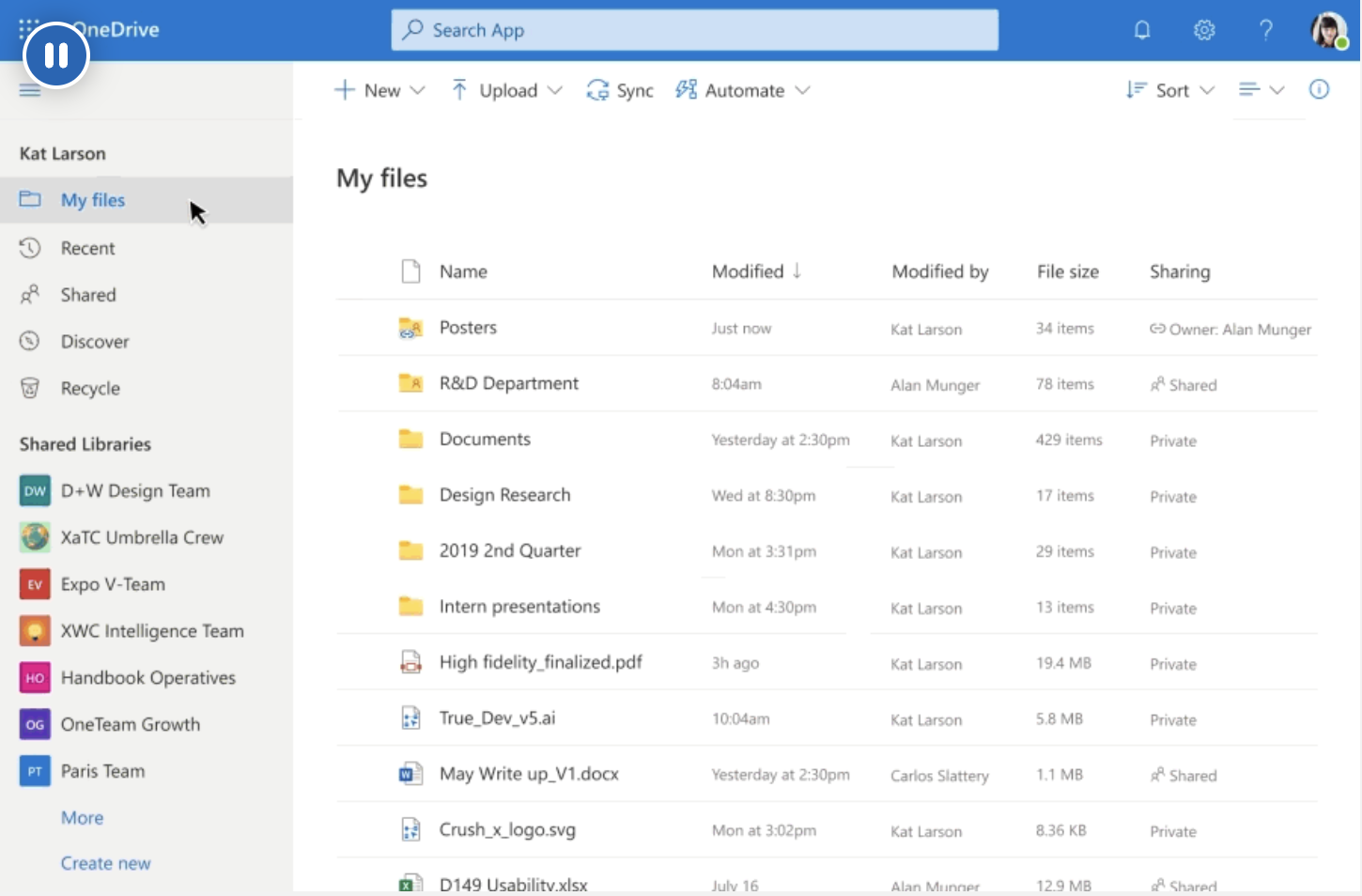
You can also tell by the look of your email inbox and file storage. Google Workspace has a clean, minimal design that is mostly white with colourful icons. Microsoft 365 has a more traditional design in blue and white.
| Workspace | What it looks like |
|---|---|
| Google Workspace | Google apps: Gmail, Google Drive, Google Docs, Google Meet. Icons are white and colourful. |
| Microsoft 365 | Microsoft apps: Outlook, OneDrive, Word, Excel, Teams. Icons are blue and white. |
What does Google Workspace look like?
What does Microsoft 365 look like?
Does it matter which one I use?
Both options give you email, file storage, and video calls. The main difference is the app names. Your IT admin chose one for your whole company, so everyone uses the same set of tools.
If you are unsure which workspace your company uses, contact hello@deeploi.io and your IT admin will confirm it.