

Why does my Windows laptop ask me to restart?
After important updates are installed, your Windows laptop reminds you to restart. You decide when to restart for up to 14 days. If you are away when that time runs out, you get at least 3 extra days once you are back.
This only applies to Windows laptops. Mac devices are not affected.
Why do I need to restart?
Many security fixes only take effect after a restart. This applies to Windows itself and to everyday apps like browsers and office tools. Until you restart, your laptop keeps running the old, vulnerable version, even though the fix is already installed. A laptop that goes weeks without a restart is weeks behind on security, even if everything looks up to date.
Restarting also clears out background clutter that builds up over time, so your laptop stays fast.
What should I keep in mind?
If you leave your laptop switched on, Windows may restart it by itself overnight, also within the 14 days. This is standard Windows behavior and cannot be turned off.
If you leave unsaved work open overnight, that work could be lost. Save your open documents before you leave your laptop on overnight.
What happens when an update needs a restart?
Days 1 to 14: you decide when
Windows installs the updates and shows a notification. You also see the pending restart under Settings → Windows Update.
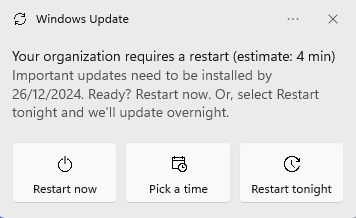
Restart whenever it suits you, for example at the end of the day or before a meeting. Click Restart now.
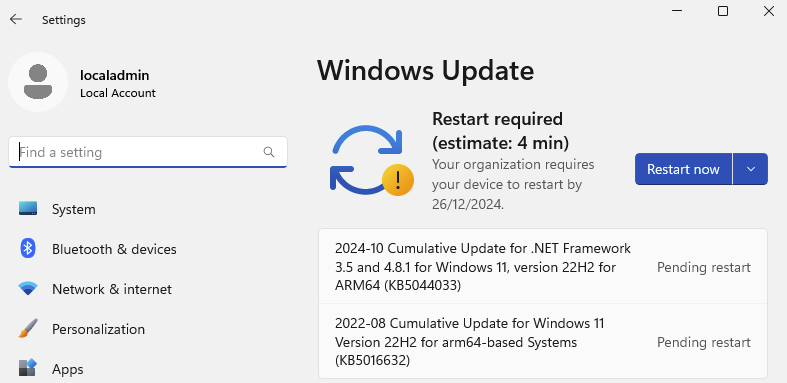
If you do nothing, Windows may restart your laptop overnight, outside working hours. You might simply find it freshly restarted in the morning.
Schedule the restart for later
- Click Pick a time.
- Choose a day and time that suits you, for example tonight after work.
- Click Schedule restart.
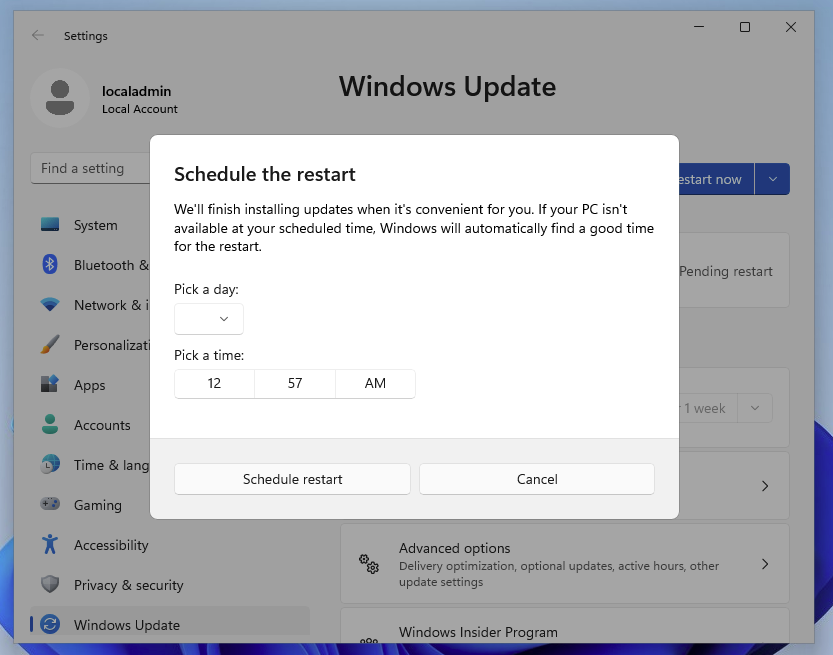
Your laptop restarts at that time. You do not need to do anything else.
After day 14: a stronger reminder
If you have not restarted after 14 days, Windows shows a stronger reminder with a specific restart time.
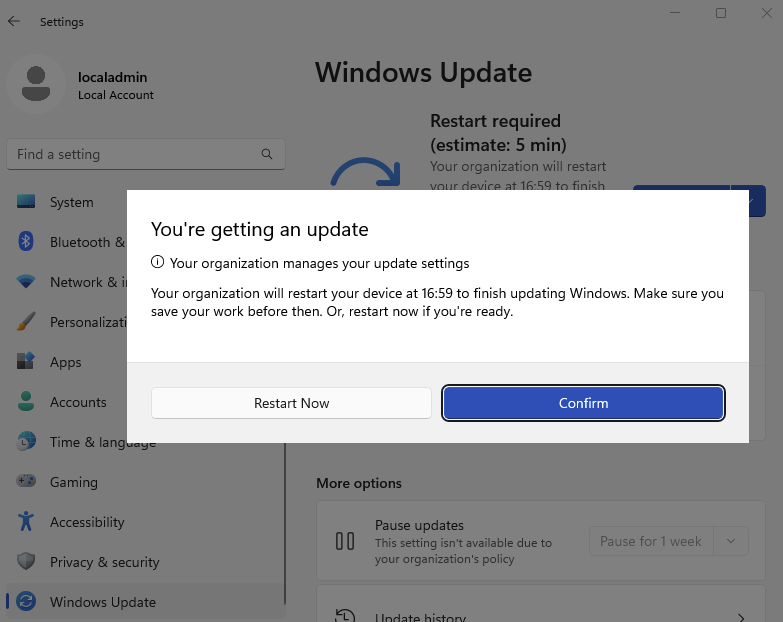
You can still restart earlier yourself. That is always the better option, because you choose the moment.
After the deadline: the automatic restart
The deadline is day 14, or later if your laptop was switched off in the meantime.
- Windows first tries to restart outside working hours, before 8:00 or after 17:00.
- If the restart is still pending, you get a final warning 15 minutes before, so you can save your work.
- The restart happens. It usually takes a few minutes.
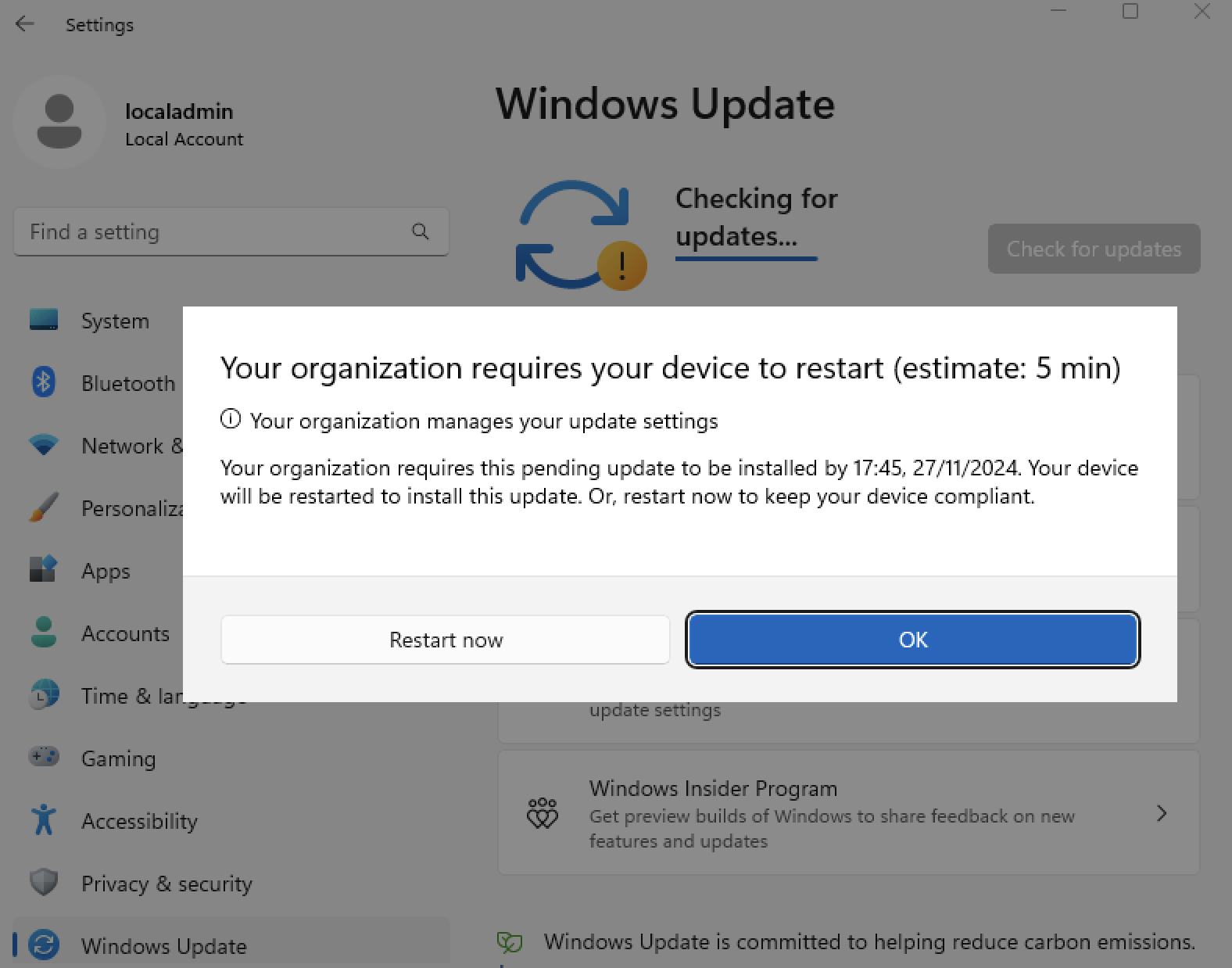
Restart on the day you first see the notification. Then you never get the stronger reminder or the automatic restart.