How do I add deeploi as an admin to Google Workspace?
What is a How do I add deeploi as an admin to Google Workspace??
Adding deeploi as an admin to Google Workspace gives deeploi the access needed to manage your workspace. This takes about 10 minutes.
Adding deeploi as a Google Workspace admin takes about 10 minutes. You will create a new user account within your company domain and assign it to the Admin Users organizational unit.
Steps
-
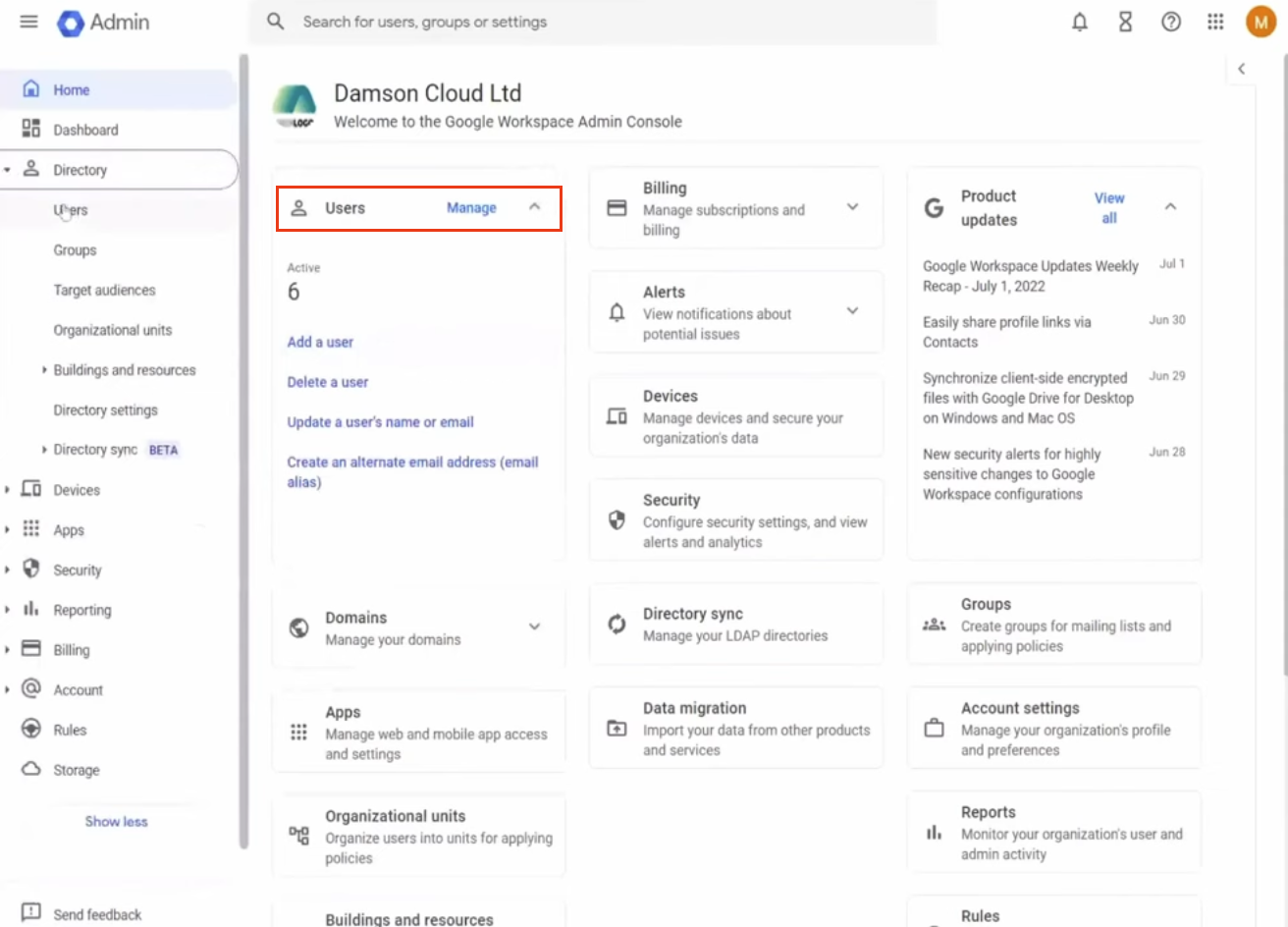
Sign in to the Google Admin Console at admin.google.com.
-
Click Users.
-
Click Add a user.
-
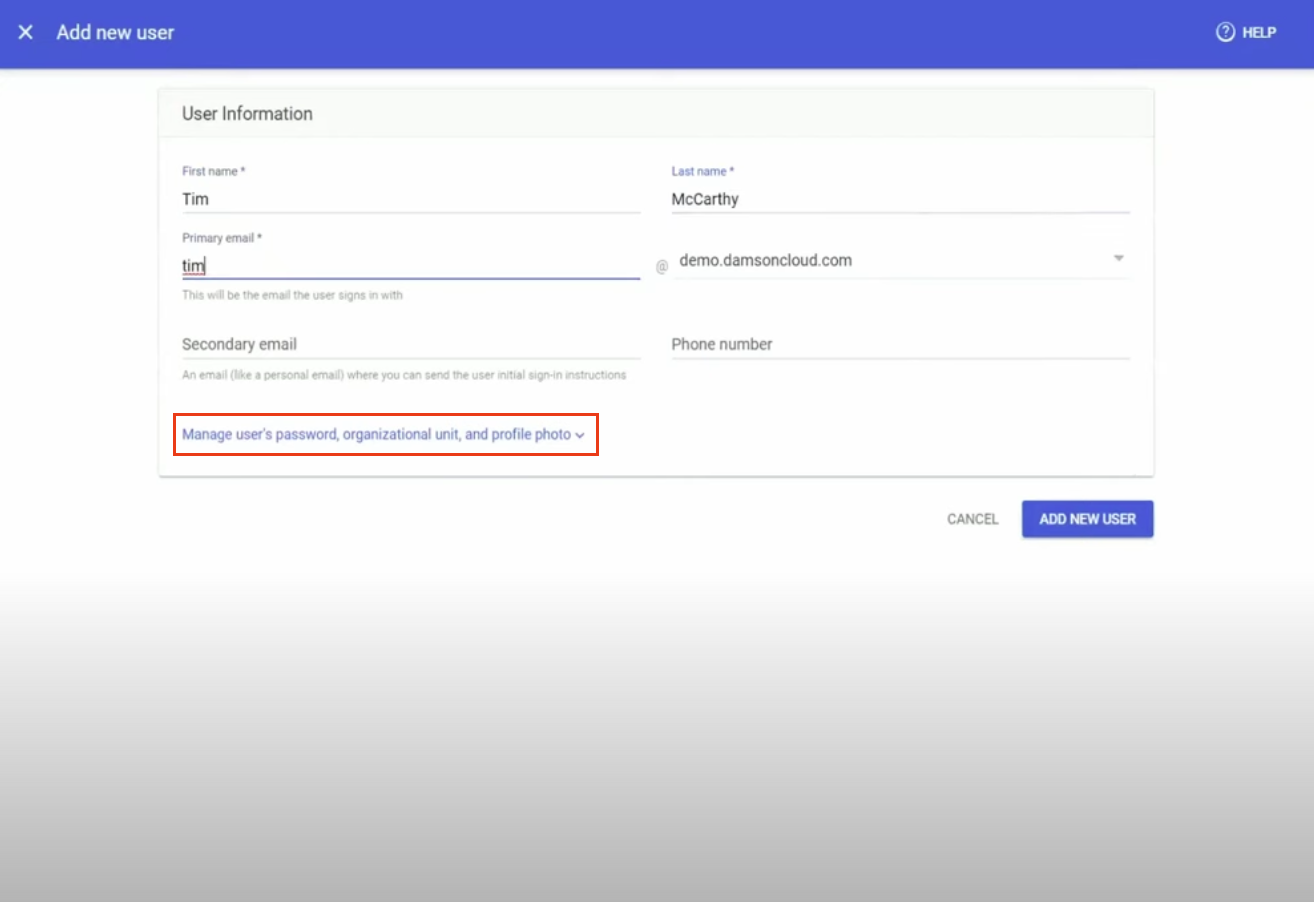
Enter the following details:
Field Value First name deeploi Last name admin Primary email deeploi@yourcompanydomain.com Secondary email customer_admin@deeploi.io -
Click "Manage user's password, organisational unit, and profile photo."
-
Set the organisational unit to Admin Users. Click the pencil icon next to the organisational unit field to change it.
-
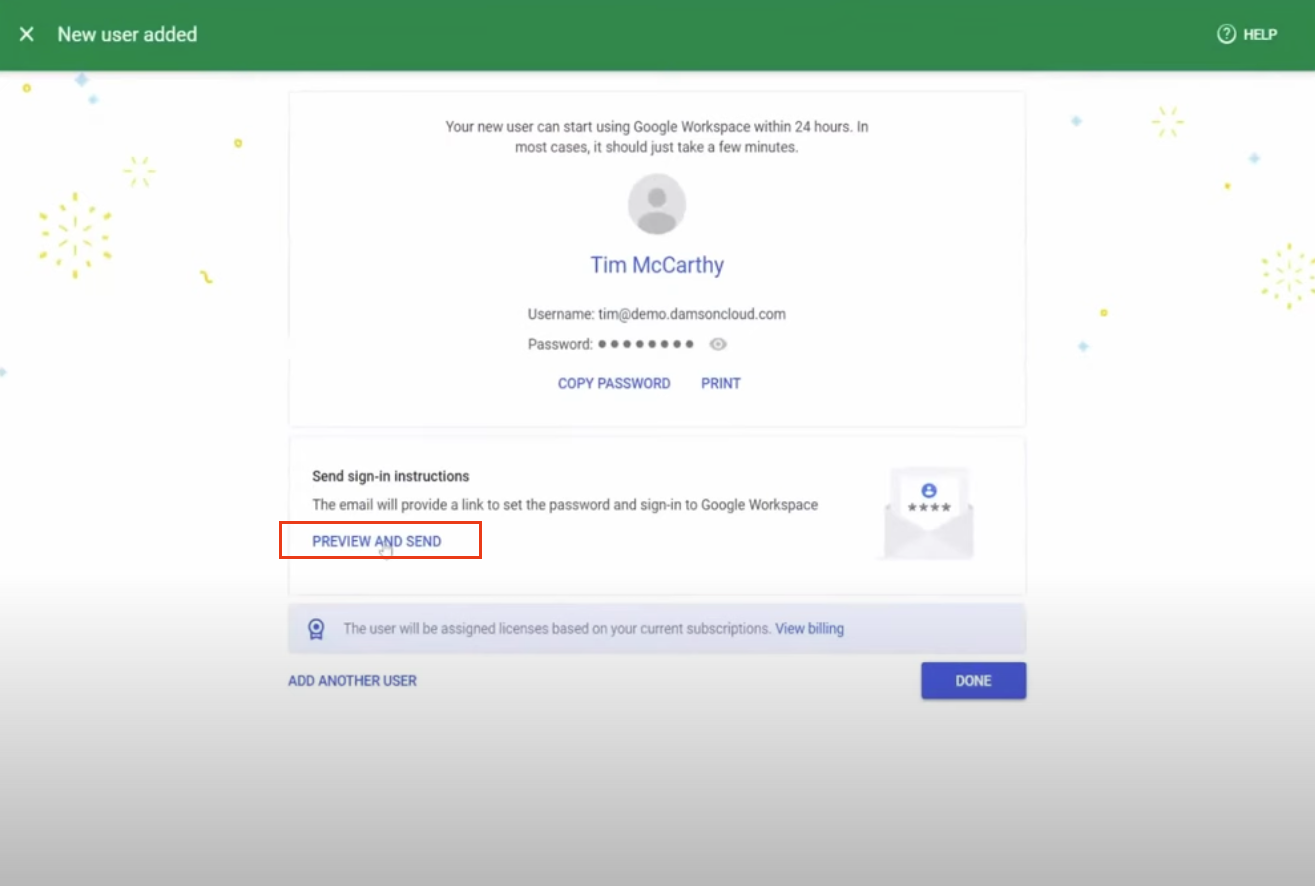
Click Add new user.
-
Under "Send sign-in instructions", click Preview and send.
-
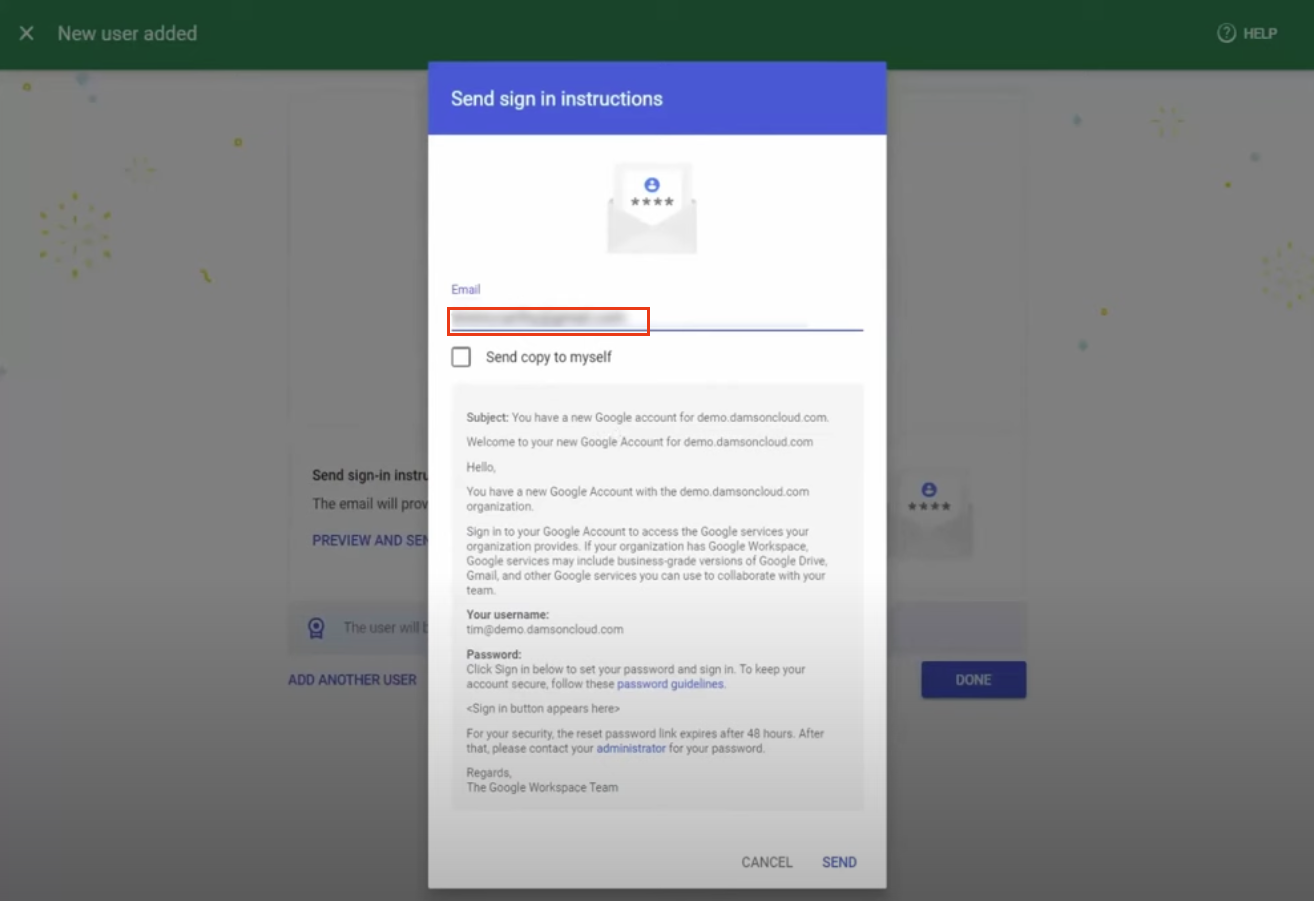
Confirm that customer_admin@deeploi.io is listed as the recipient for the sign-in instructions.
-
Click Send.
Screenshots