

What Are Personal Device Registration Codes?
A personal device registration code is a unique code assigned to each employee. When they enter it on start.deeploi.io during device setup, the device is automatically linked to their profile and deeploi begins installing their software.
Using the registration code is faster than the email-based setup alternative and reduces the chance of devices being registered to the wrong employee.
How to find a registration code
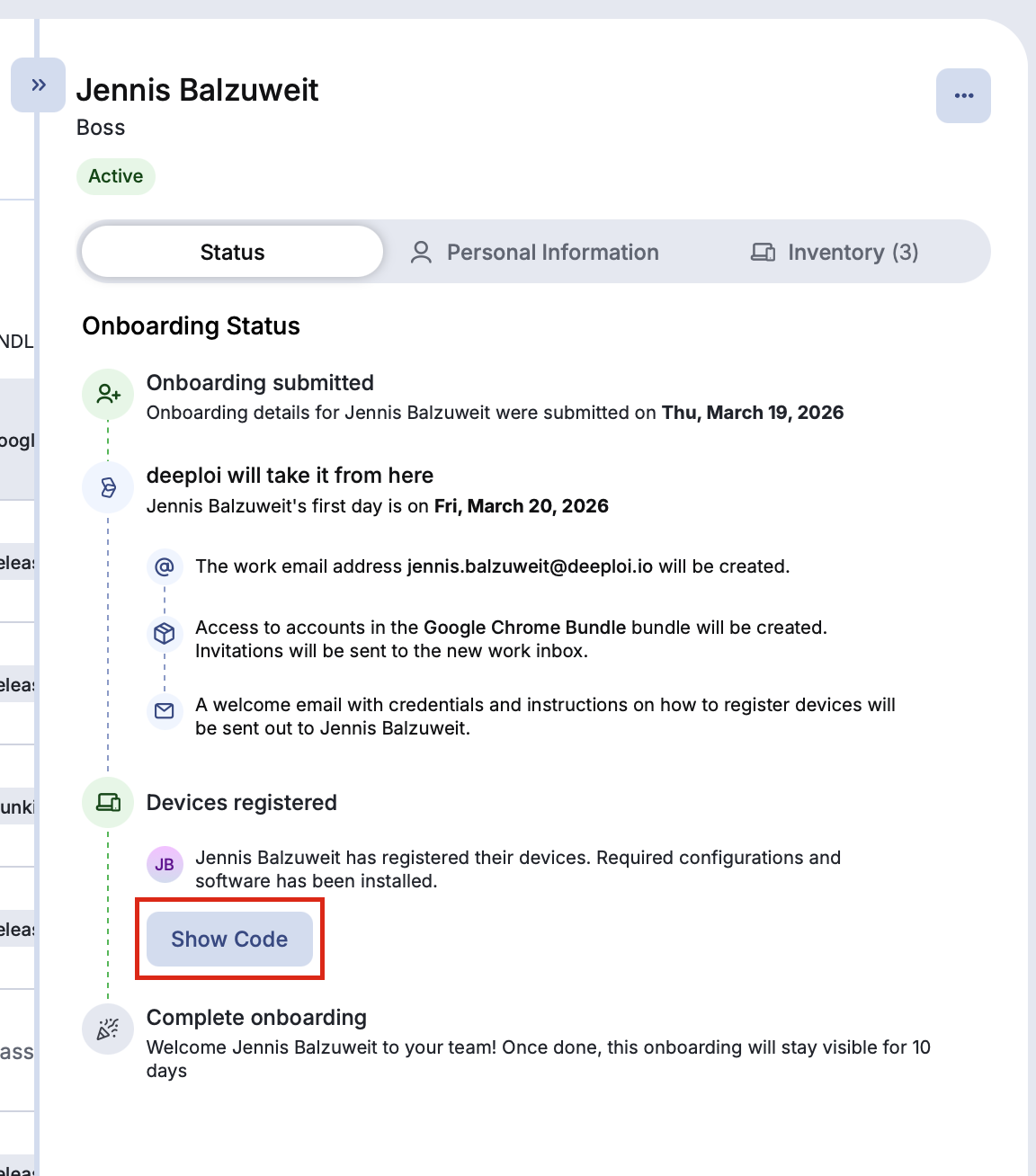
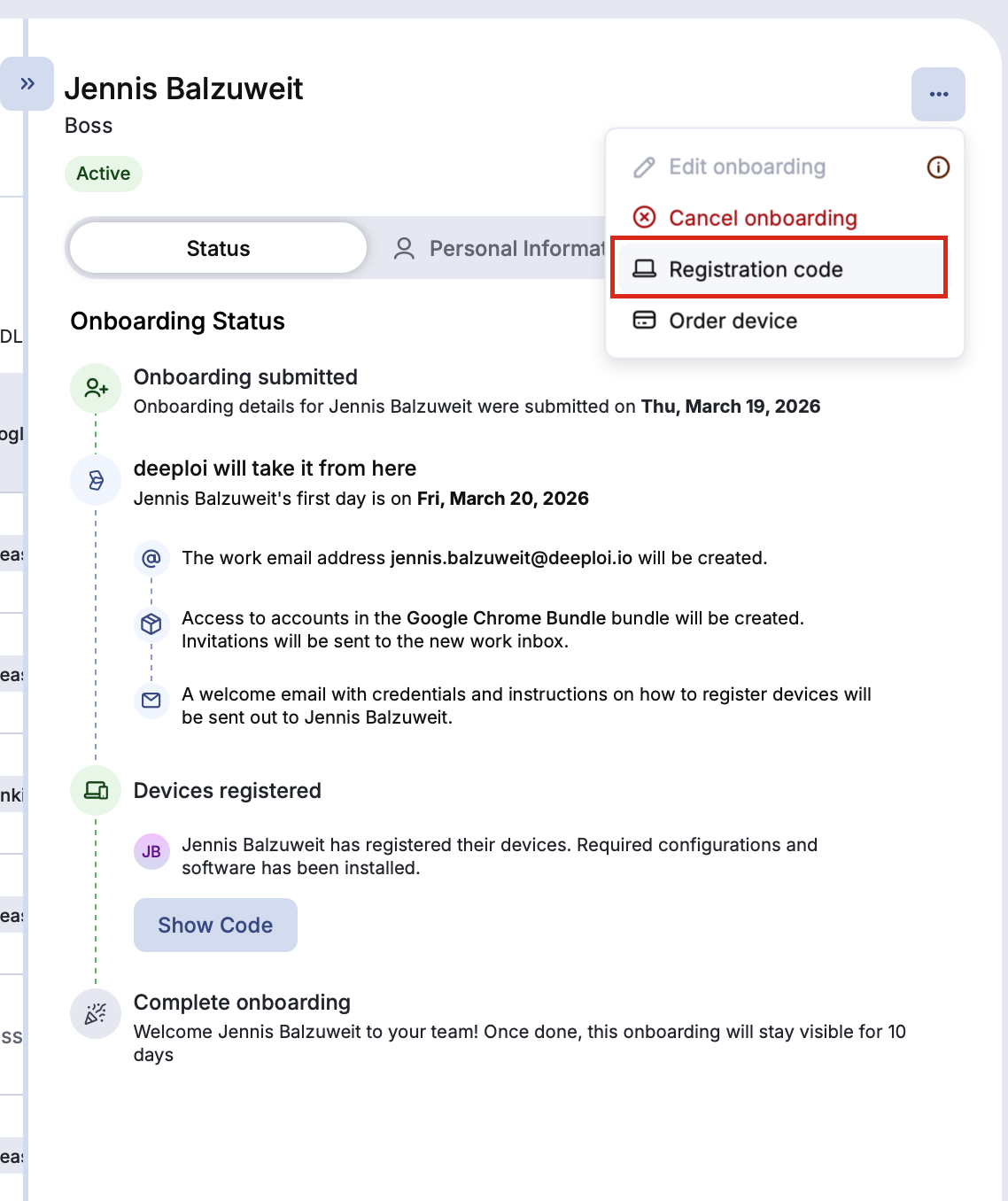
During onboarding: the employee receives their code by email with setup instructions. If the email was not received, open the employee's profile in Employees. You can find the code in two places:
- On the Status tab, click Show Code in the onboarding status.
- Click the three-dot menu in the top right corner of the profile and select Registration code.
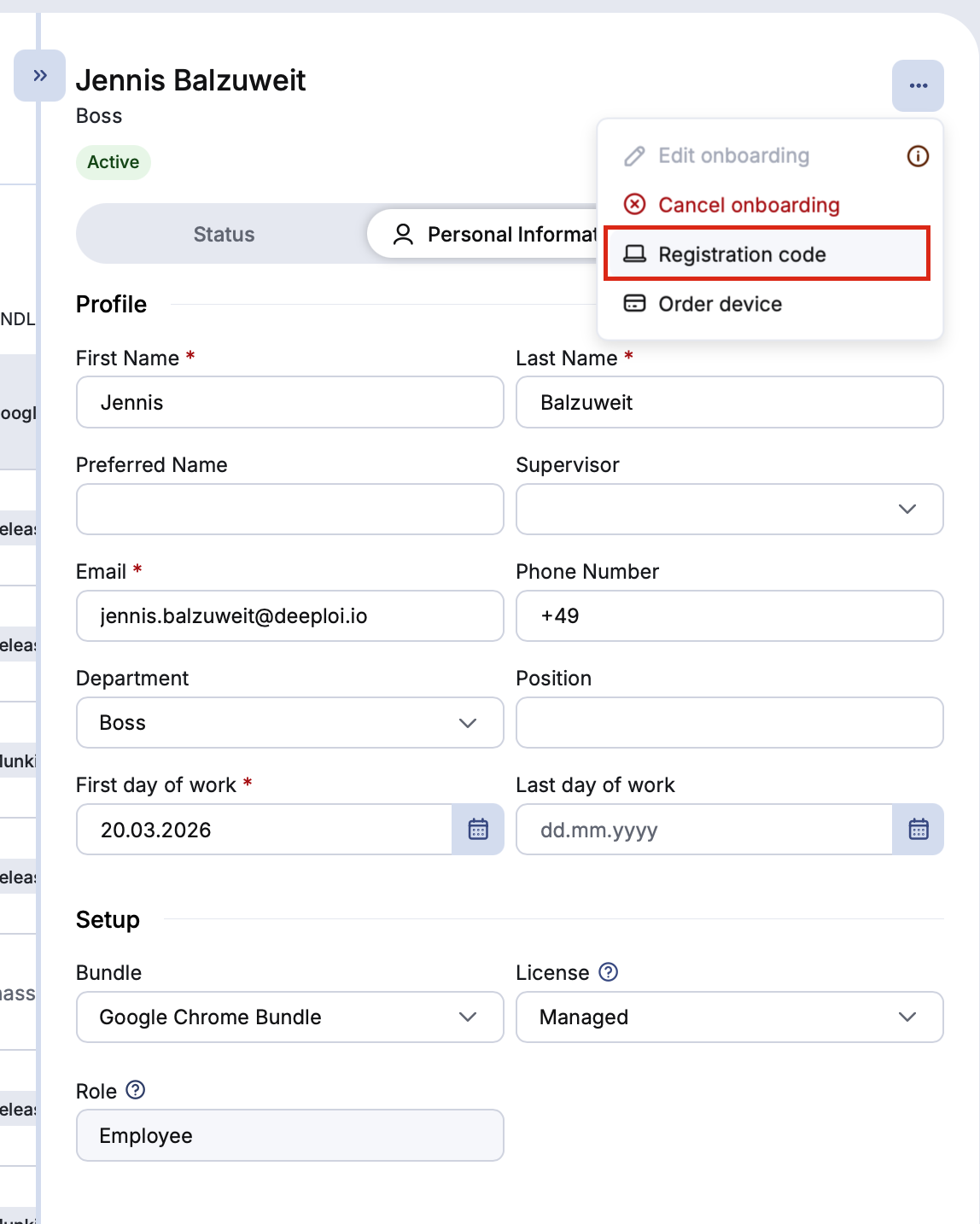
After onboarding: open the employee's profile, click the three-dot menu in the top right corner, and select Registration code. The menu works from both the Status and Personal Information tabs.
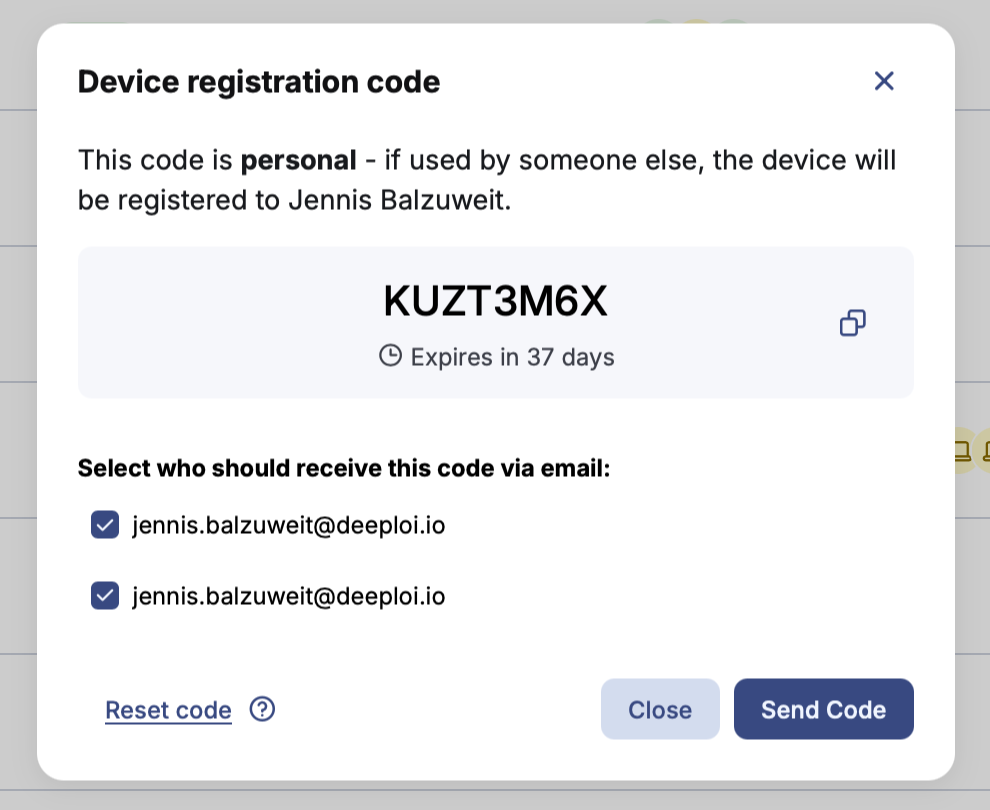
The window that opens shows the code and when it expires. To send the code by email, select who should receive it and click Send Code.
What happens if I reset a code?
Resetting a code immediately invalidates the current one and generates a new one. Any device setup that was started with the old code cannot continue. Use the new code for all subsequent setups.