

Should I archive or delete a device?
Archive a device when you no longer use it but want to keep its history, for example for an ISO 27001 audit. Delete a device when it should leave deeploi completely, for example a duplicate entry or a device your company no longer owns.
| Archive | Delete device | |
|---|---|---|
| Device record and History | Kept. You can open the device at any time. | Removed. You can no longer open the device in deeploi. |
| Assigned employee | Unassigned | Unassigned |
| On the device itself | Nothing changes. The deeploi agent, cybersecurity software, and device management stay installed. | deeploi removes the deeploi agent, cybersecurity software, and device management from the device. |
| Apple Business Manager | No change | The device is released from deeploi in Apple Business Manager. |
| Files on the device | Untouched | Untouched |
| Can I undo it? | Yes, with Unarchive device | No |
Important
Neither option erases the device. If the device is leaving your company, reset it first. Wait until the reset is complete before you delete the device, because deleting it removes the connection deeploi needs to send the reset.
Archive or delete a device
- Go to Inventory → Devices and click the device.
- Click the three-dot menu and select Remove device.
- Choose Archive or Delete device, then click Confirm.
- If you chose Delete device, type
deleteand click Delete Device.
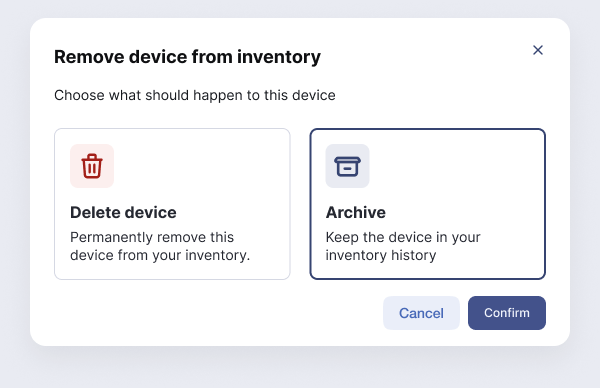
To delete several devices at once, select them in the device list and click Delete selected devices.
If any part of disconnecting a deleted device fails, the deeploi support team gets a ticket automatically and finishes the cleanup by hand.
Find or restore an archived device
Archived devices are hidden from the device list. To see them, turn on Include archived devices under Status in the filters above the list.
The assigned employee and location of an archived device are read-only. To use the device again, open it, click the three-dot menu, and select Unarchive device. You can then assign it to an employee. To remove an archived device for good, select Delete device in the same menu.