

How do I add an employee who isn't in my HR system?
You can add employees directly in deeploi at any time, even if your HR system is active. This is useful for freelancers, temporary staff, or anyone who isn't part of your HRIS sync.
How to add an employee manually
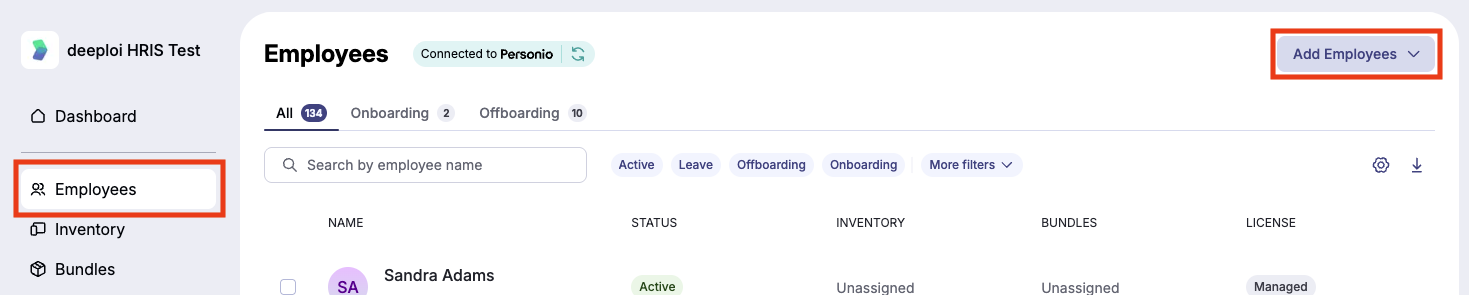
- Go to Employees in the deeploi platform.
- Click Add Employees in the top right corner, then select Add manually.
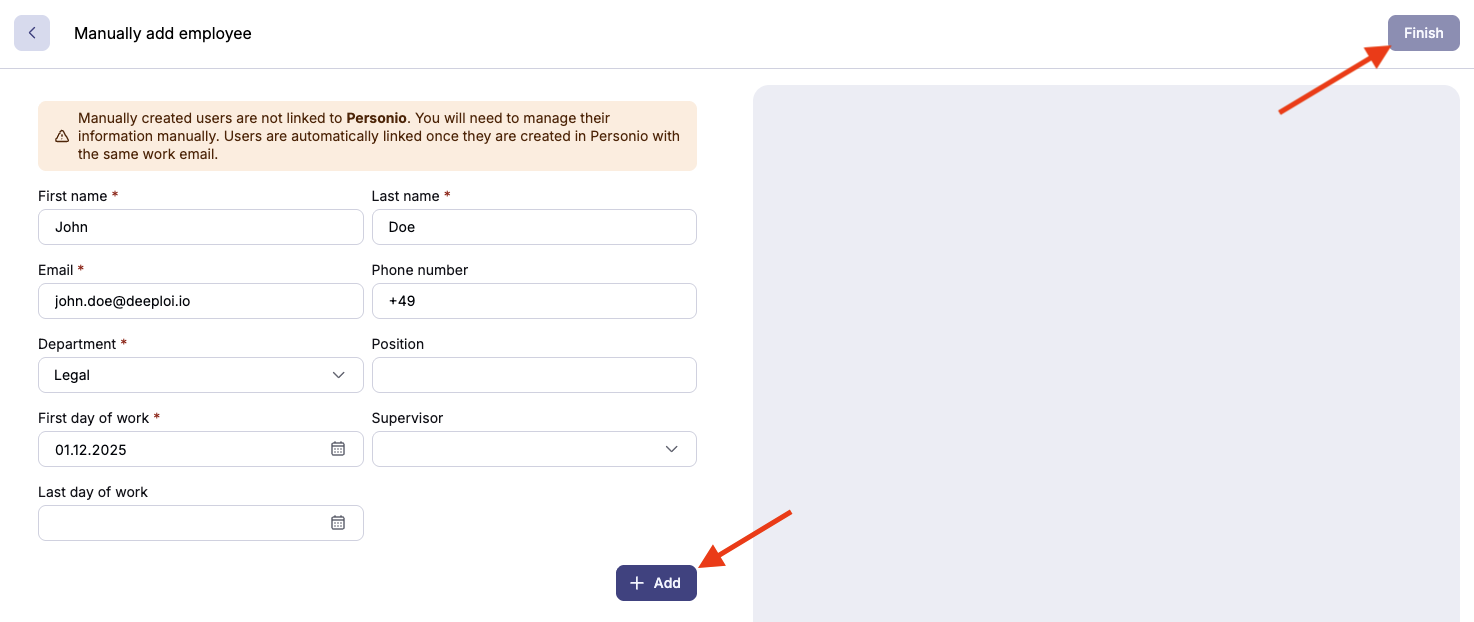
- Fill in the employee's details. Fields marked with an asterisk (*) are required.
- Click + Add to save the employee and clear the form. Repeat to add more employees without starting over.
- Review the list on the right side of the screen. You can still edit or delete entries before finalizing.
- Click Finish in the top right corner when you're done.
Set a future start date if you want deeploi to trigger onboarding automatically. Without a start date, you can still add the employee but cannot trigger onboarding later.
What happens next
If you set a future start date, the employee automatically appears under Employees → Onboardings. From there, follow your usual onboarding process to get them fully set up.