

Connect Your HRIS
Connecting your HR system means you never have to add employees to deeploi by hand. When someone joins or leaves in your HR tool, deeploi picks it up automatically.
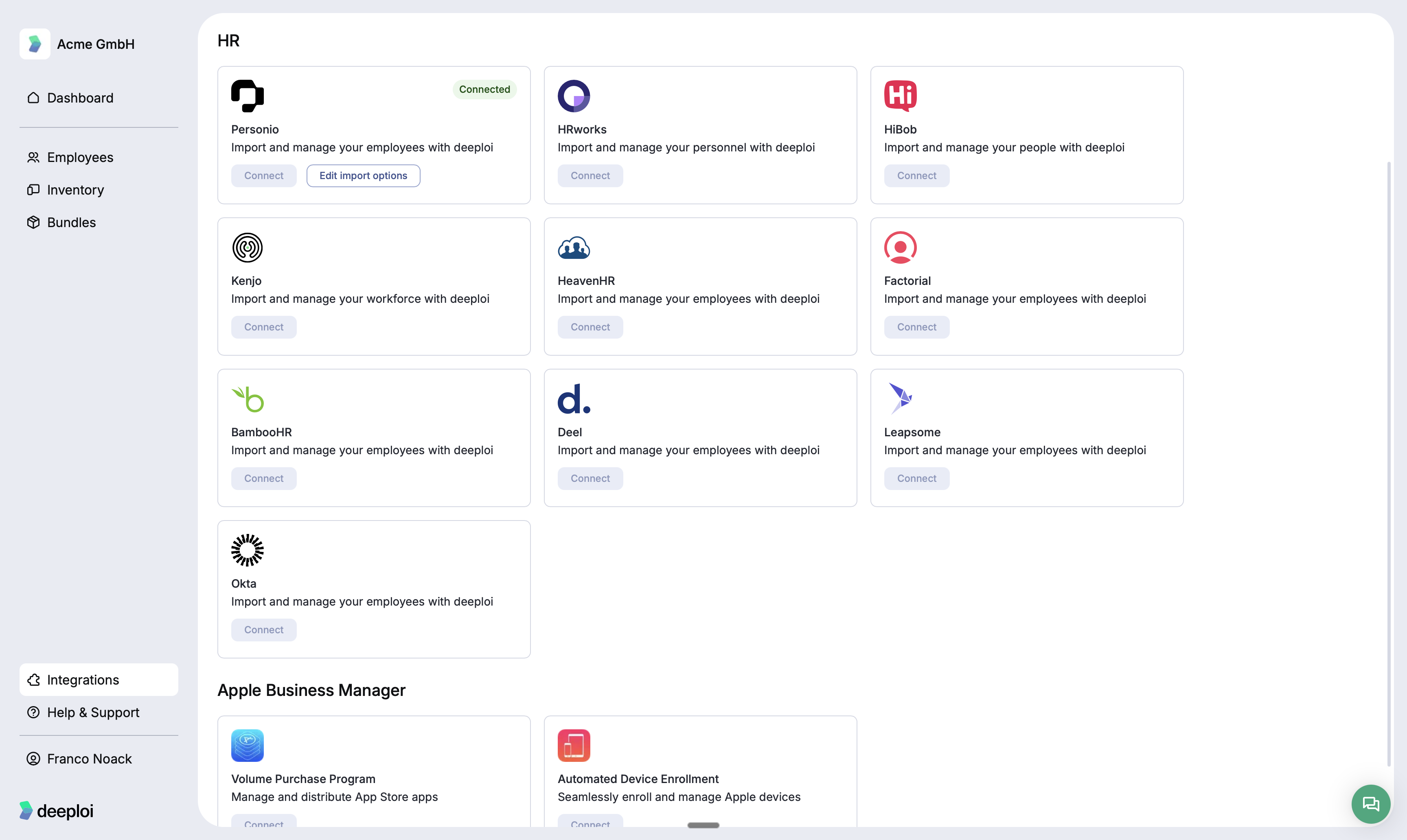
deeploi connects to Personio, HRworks, HiBob, Kenjo, HeavenHR, Factorial, BambooHR, Deel, Leapsome, and Okta. Go to Integrations in the left sidebar to see the full list and connect your system.
How do I connect Personio?
Connecting Personio takes about 5 minutes. You need admin access in Personio to generate the API credentials.
Step 1: Generate API credentials in Personio
- In Personio, go to Settings → Integrations → API Credentials.
- Click Generate New Credentials.
- Give the credentials a name (for example, "deeploi") and note down the Client ID and Client Secret.
Step 2: Connect Personio in deeploi
- In deeploi, open Integrations in the left sidebar.
- Under HR, find Personio and click Connect.
- Enter your Client ID and Client Secret, then click Save.
- deeploi imports your employee list. From this point forward, new employees added in Personio sync to deeploi automatically.
Step 3: Configure import options
After connecting, click Edit import options next to Personio to control which employee fields deeploi imports and how they map to your deeploi records.
Only employees with an active status in Personio are imported by default. Check your import settings if someone is missing.