

What's in the onboarding form?
You open the onboarding form from the employee's profile, as described in Onboarding Process. The form has up to five steps: Employee Information, Workspace, Device Assignment, Delivery Address, and Summary. Delivery Address only appears if you buy or rent a device. Click Continue (lower right) to move to the next step and Back (lower left) to return.
Employee Information
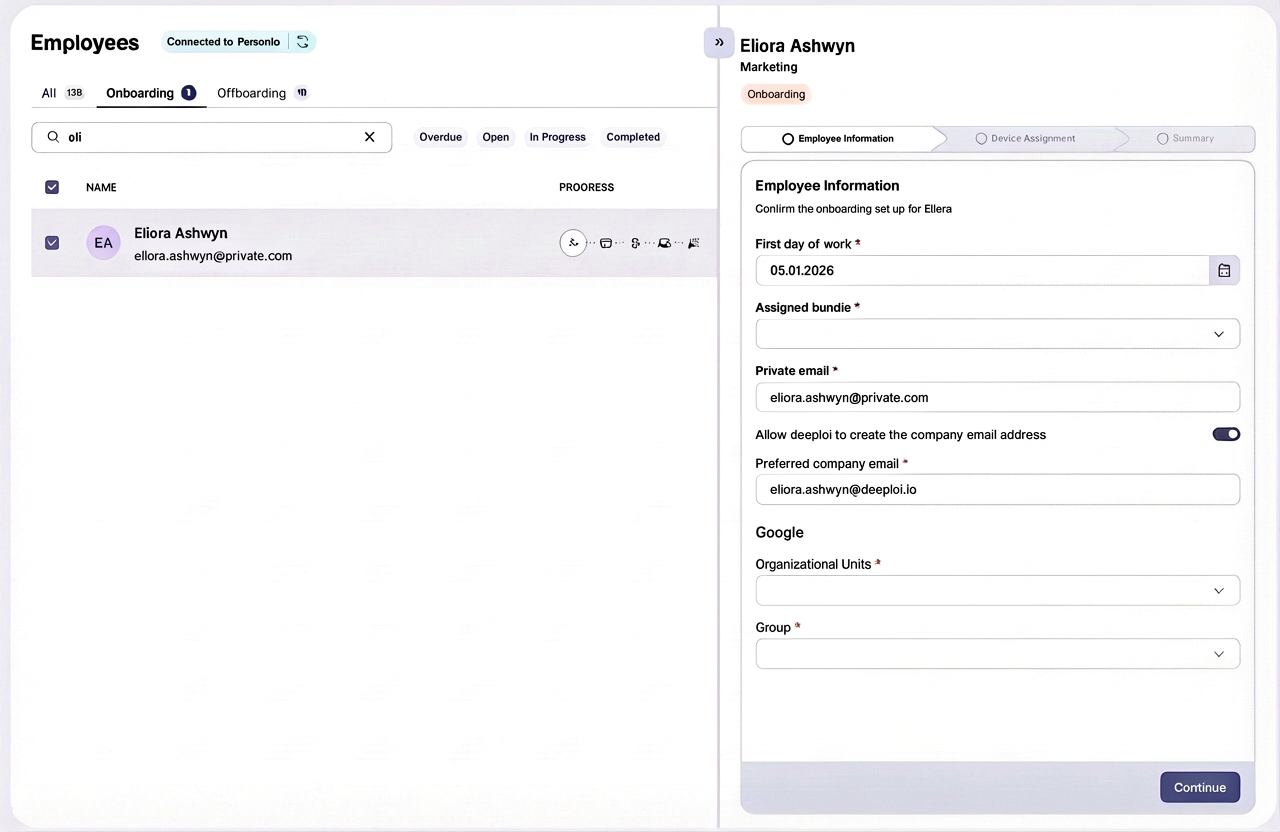
The first step collects the key details needed to prepare the new employee's accounts and access. All three fields are required.
| Field | What it does |
|---|---|
| First day of work | Sets the account creation timeline. deeploi fills in the start date from the employee's record. The earliest date you can pick is tomorrow. |
| Assigned bundle | Determines which software accounts are created. If your company has only one bundle, deeploi selects it for you. |
| Private email | The employee's personal email address. deeploi fills it in from the employee's record when it has one. |
Workspace
In the second step, you set up the employee's company email account. The step is named after your workspace, for example Google Workspace or Microsoft 365 Workspace.
| Field | What it does |
|---|---|
| Preferred company email | The address deeploi creates for the employee. deeploi suggests one based on the email address format in Settings → Workspace, for example firstname.lastname@yourcompany.com. You can change it. Addresses with a "+" are not supported for new accounts. |
| Current company email | Appears instead of Preferred company email if deeploi does not create email accounts for your company. Enter the address the employee already has. Whether deeploi creates accounts is set with Allow deeploi to manage workspace account setup in Settings → Workspace. |
If the address you enter is already in use, for example as an alias, a shared mailbox, or an existing account, deeploi shows the conflict and asks How do you want to handle this? Choose one option before you continue:
| Option | What it does |
|---|---|
| Delete & Create | Removes the alias, shared mailbox, or existing account, then creates a new account |
| Convert to user mailbox | Turns the shared mailbox into a personal account for the employee (Microsoft 365 only) |
| Update existing account | Keeps the existing account and updates its groups, licenses, and password. You decide whether deeploi resets the password. |
| Skip account creation | Assigns the address to the employee without creating an account. You set up the account and share the sign-in details yourself. |
If you choose Update existing account without resetting the password, or Skip account creation, deeploi does not share a password with the new joiner. Make sure they get their sign-in details from you.
Workspace settings
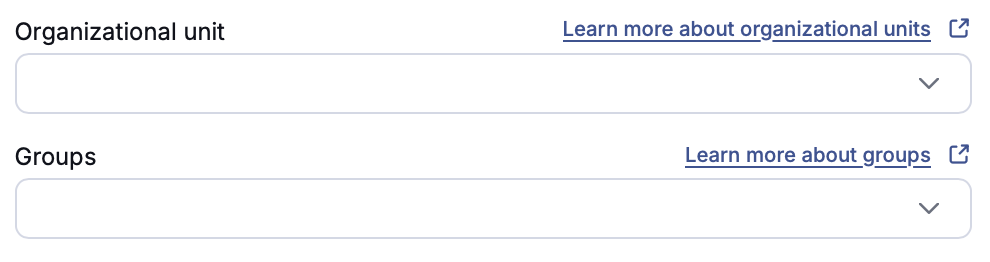
Depending on your workspace setup, you can assign the new employee to groups and structures that take effect automatically from day one. These fields only appear when deeploi creates the email account.
Assign an Organizational unit and Groups. Both are optional. The employee is added when their account is created.
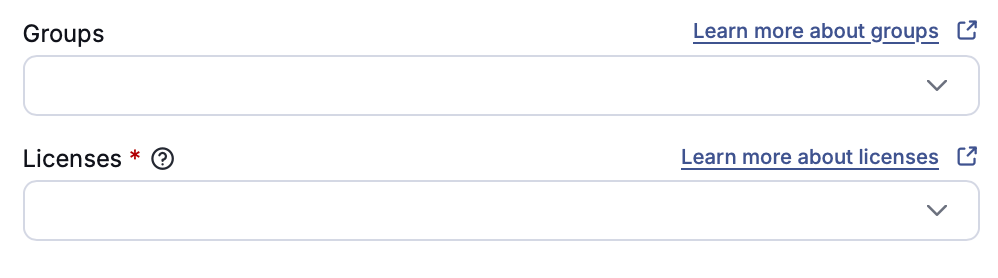
Assign Groups (optional) and Licenses (required). The groups and licenses you marked as standard in Settings → Workspace appear at the top of each list. They are not selected automatically. If deeploi manages your Microsoft 365 licensing, licenses are assigned automatically during onboarding.
Device Assignment
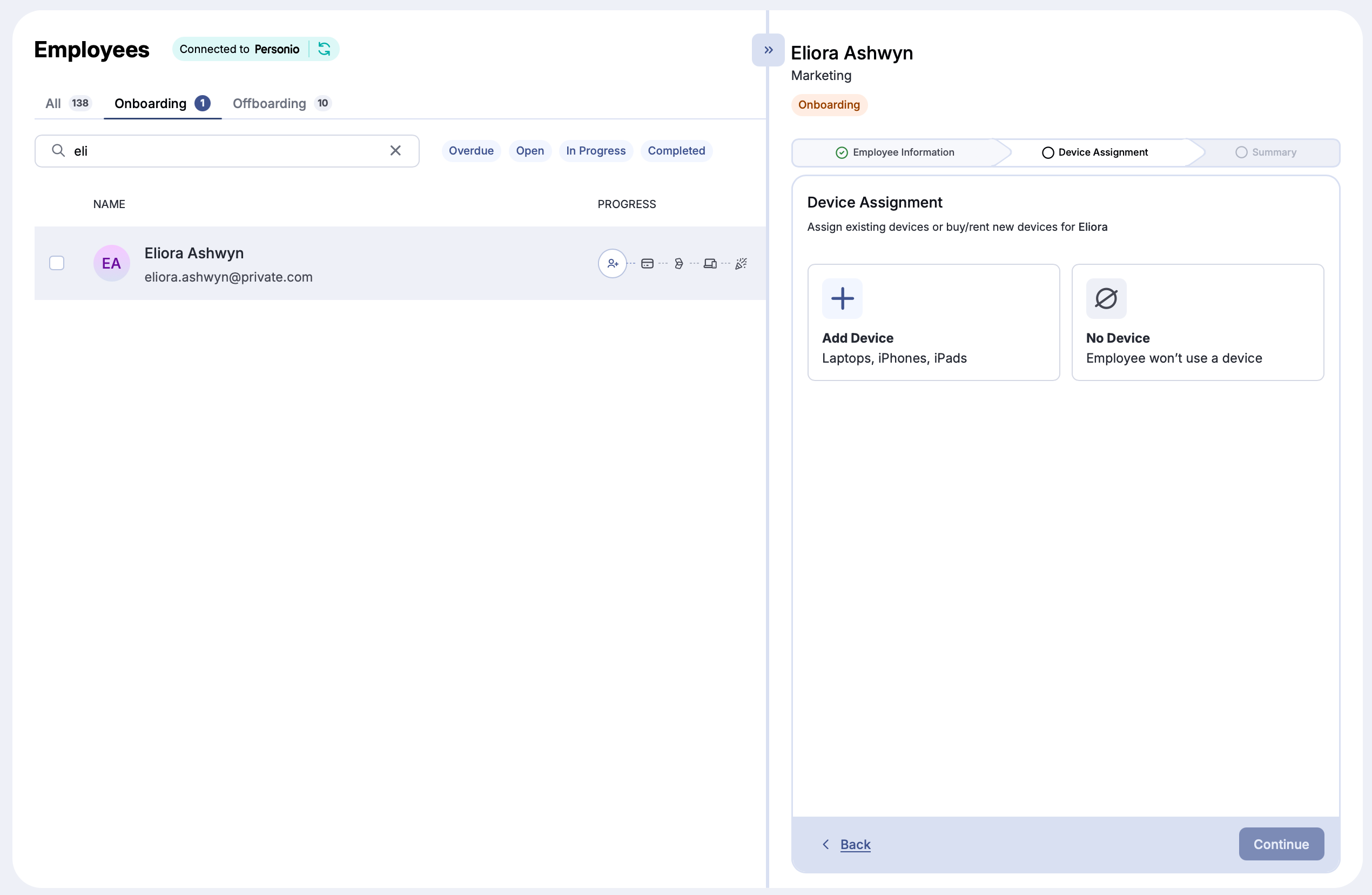
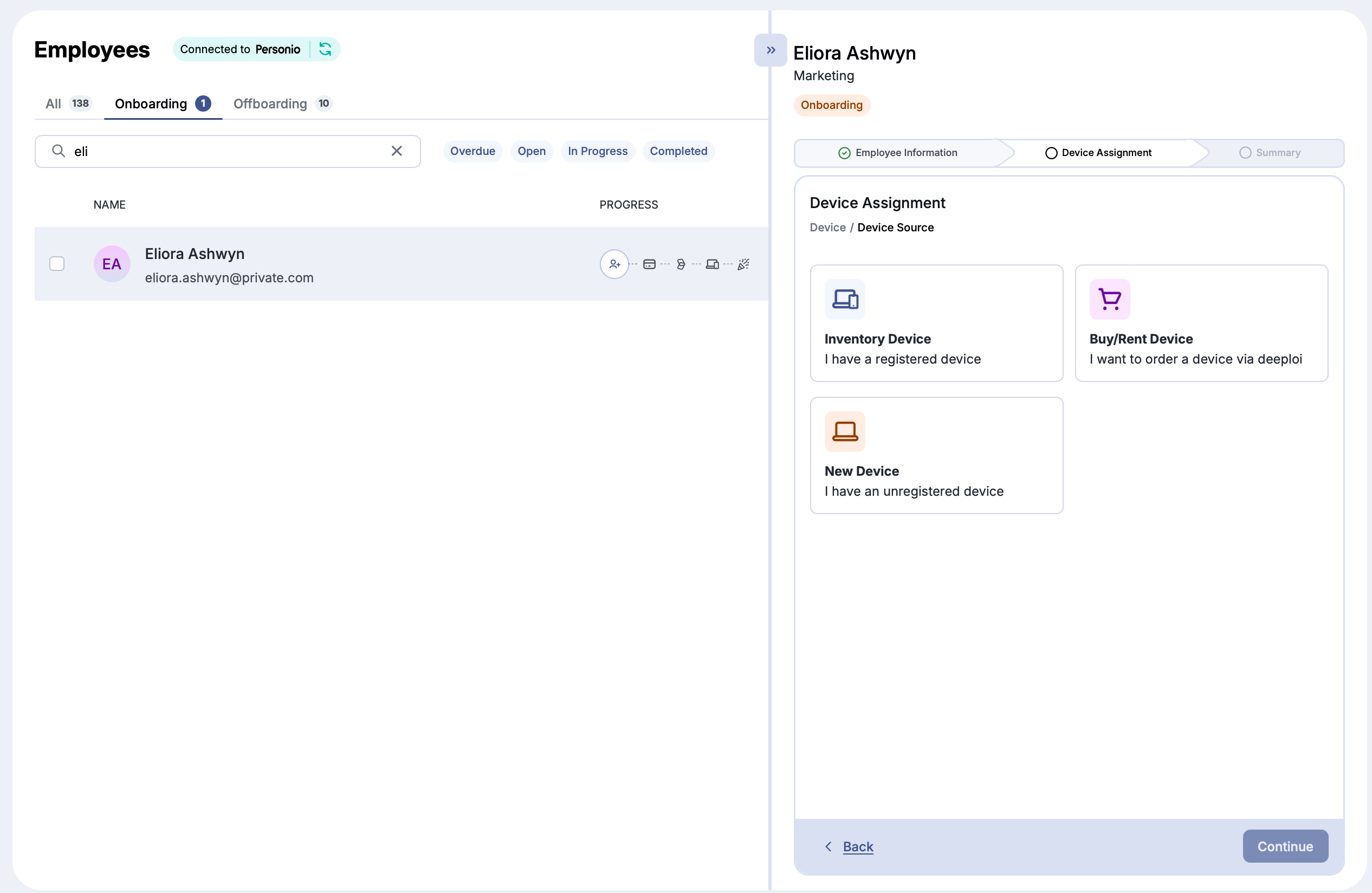
In the third step, choose whether the new employee receives a device. Selecting No Device assigns the employee a Light license automatically. Selecting Add Device opens device options. You can assign multiple devices if needed, for example a laptop and a phone. Peripherals alone do not count as a device, so an employee who only receives peripherals gets a Light license.
| Device type | What it is |
|---|---|
| Inventory Device | A device already registered with deeploi and not currently assigned to anyone ("in stock"). You can also add peripherals from your inventory here. If the device is still assigned to a departing employee, or you don't know yet which device the new employee gets, choose New Device instead so the new employee receives the correct registration reminders. |
| Buy/Rent Device | Order a new device through deeploi's procurement partners. Catalog devices are delivered in around 2 weeks. Custom devices take longer. More details under Device Procurement below. |
| New Device | For devices not yet registered with deeploi or not purchased through deeploi. Select the operating system (macOS, iOS, Windows) and add a note to help with assignment and setup, for example the serial number or color. |
Device Procurement
When you select a device to buy or rent, devices are grouped into categories such as laptops, tablets, phones, and peripherals. Each device is labeled Basic, Advanced, or Performance to help you choose. For a custom device not in the catalog, click Request a custom device at the bottom of the procurement page. See Order a Device for how the request and checkout process works.
Delivery Address
This step only appears if you buy or rent a device. Pick a saved address or office location, or enter a new one. Recipient, Address, City, Postal code, and Country are required. deeploi fills in your company's address and adds the employee's name as c/o. Your billing information must be complete in Settings before you can continue.
Submit
Before submitting, deeploi shows a summary of all your selections as a timeline: which accounts it creates, which emails it sends, and which devices the employee registers. Click Back (lower left) to make changes, or Submit (lower right) to start the onboarding.
If you ordered a device that is delivered by Comspot, accept their terms in the summary before you submit.