

How do I reinstall missing software on a device?
If an app from the employee's bundle failed to install or is missing on their device, you can send the installation again yourself. One click on Reinstall Software retries every missing app on that device, so you don't need to open a support request.
The button sits in the device's Bundle software list. This list shows each app from the employee's bundle with a status: Installed, Failed, or Not installed.
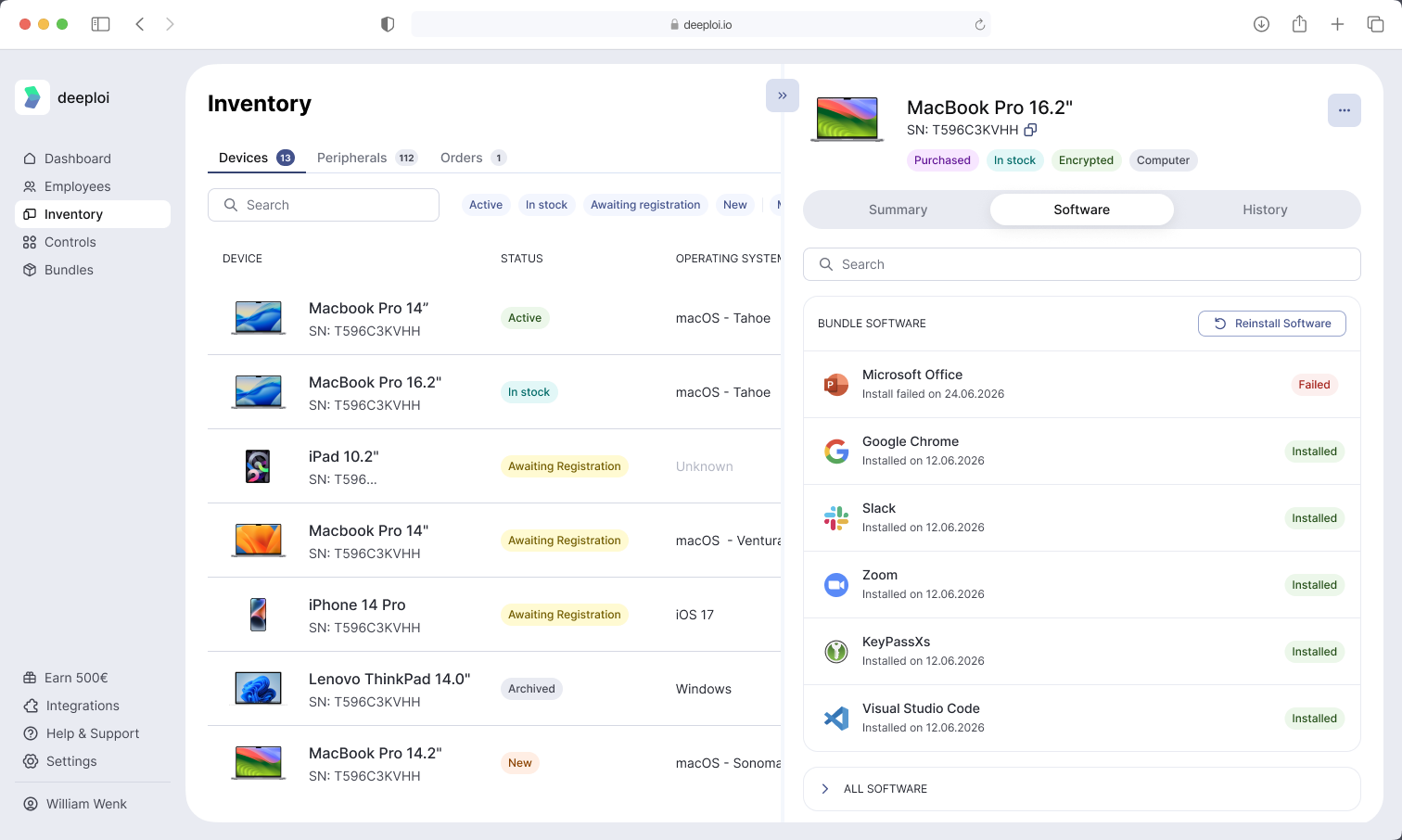
Step 1: Open the Device's Software Tab
- Go to Inventory → Devices in the dashboard.
- Select the device.
- In the panel that opens, click the Software tab.
Step 2: Start the Reinstallation
- In the Bundle software section, click Reinstall Software.
- Check the confirmation window and click Reinstall Software again.
When the request goes through, you see the message "Software reinstallation was triggered".
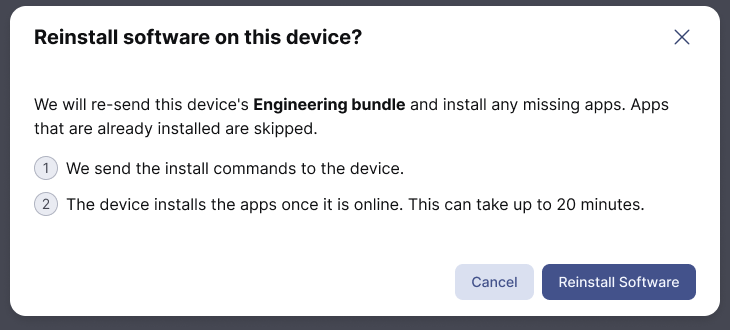
What Happens on the Device
deeploi sends the install commands to the device. The device installs the missing apps the next time it is online. This can take up to 20 minutes.
While the installation runs, the Software tab shows "Reinstalling software in progress. This list updates automatically." You can leave the page. The installation continues on the device.
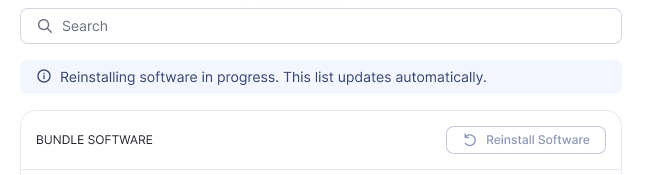
Software only installs on a device that is assigned to an employee. The apps come from that employee's bundle. If the device is unassigned, assign it first in Device Actions.
Why Is the Button Greyed Out?
Hover over the greyed-out button to see the reason.
| Message | What it means |
|---|---|
| Device is not registered to trigger this action | The device is not fully connected to deeploi device management yet, so deeploi can't send install commands to it. See How Are Devices Added to Inventory?. |
| The action is in progress | A reinstallation is already running on this device. Wait for it to finish. |
| Bundle software is installed | Every app in the employee's bundle is already on the device. There is nothing to reinstall. |
If the device has no bundle software at all, the Bundle software section and the button don't appear.