

How do I reset a device?
You can reset a device at any time from the dashboard. A reset is useful after an employee offboards, when a device changes hands, or to fix a technical issue. It works on Macs, Windows PCs, iPhones, and iPads that are connected to deeploi.
A reset cannot be undone. It erases all data, settings, and apps on the device. Make sure the employee has no unsaved data before you start.
Looking for a way to protect a lost or stolen device instead? See Should I wipe, lock, or reset a device?
Before you start
The device must be turned on and online for the reset to start. Have it with you if you can.
For your protection, deeploi emails you a verification code before it sends the reset. Enter it within 5 minutes.
Important: Apple devices
Ask the employee to sign out of their personal Apple ID before the reset. If they don't, the reset may fail or the device may stay locked to the employee's personal Apple account.
Important: Windows devices
Microsoft's remote reset has a known limitation. The reset may fail, leave the device in Recovery Mode, or make it unusable. This is outside deeploi's control. If this happens, contact hello@deeploi.io for a manual reset guide. deeploi's IT support team can help you complete it.
Option 1: During offboarding
Use this when you reset a device as part of an employee's departure.
- Search for the employee in deeploi.
- Open their profile and go to the Devices tab.
- Confirm the return of the device.
- When deeploi asks Should we also reset this device?, click Reset device. If you're returning several devices, choose which ones to reset, then click Return.
- Enter the verification code from your email.
- Keep the device powered on and connected until the reset finishes.
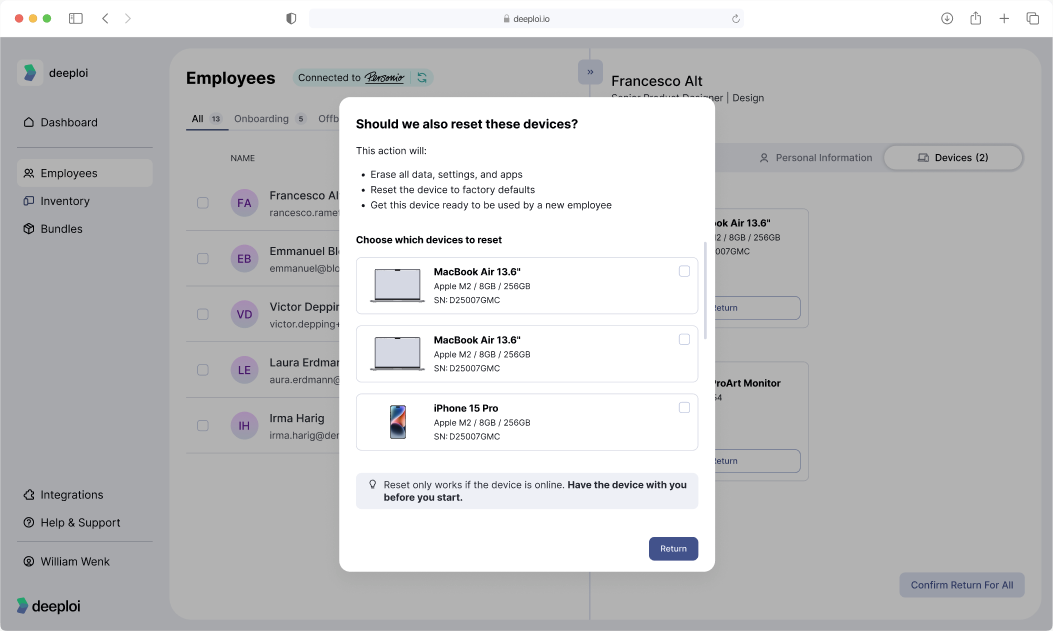
To return the device without resetting it, click Return only. deeploi unassigns the device from the employee either way.
Option 2: At any time
Use this for a device swap, a technical fix, or any reset outside the offboarding flow.
- Go to Inventory → Devices and click the device.
- Click the three-dot menu and select Reset device.
- Click Reset device in the dialog.
- Enter the verification code from your email.
- Keep the device powered on and connected until the reset finishes.
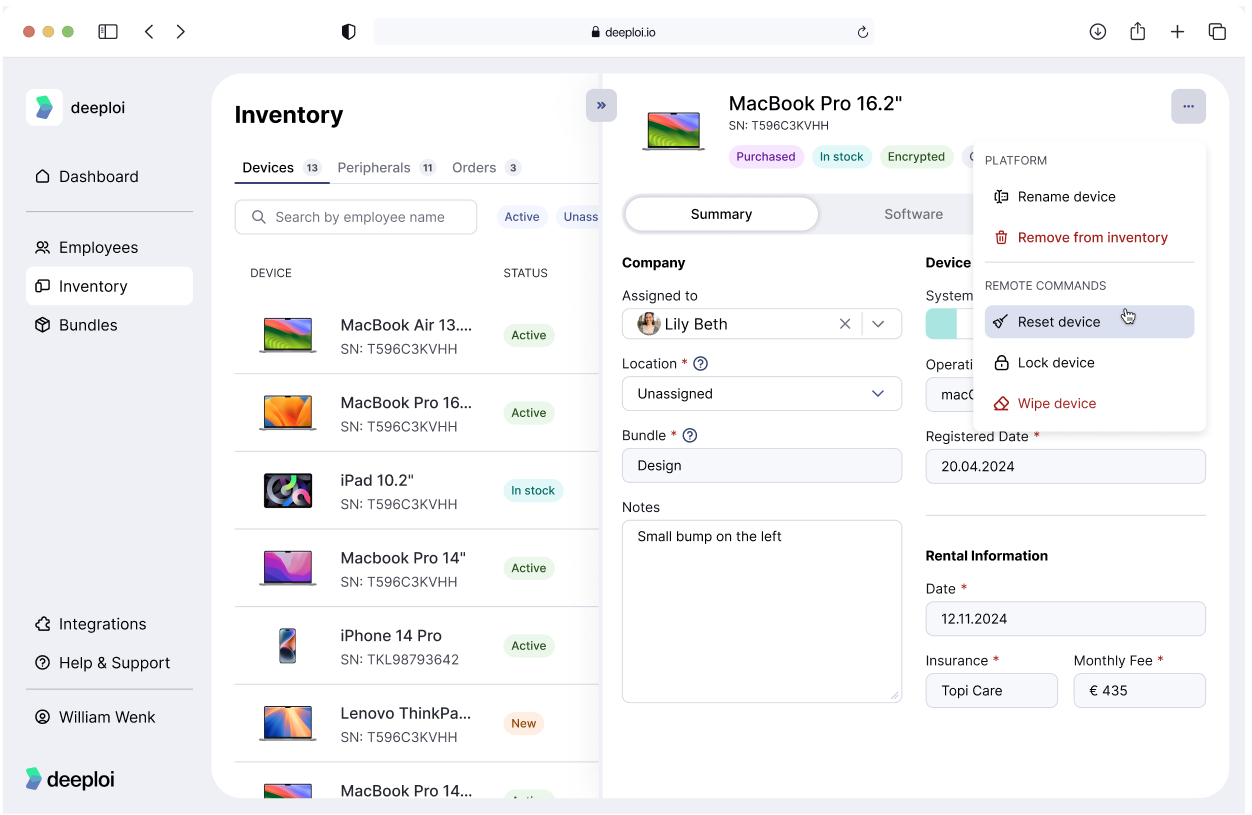
A reset from the device menu does not change who the device is assigned to. Before you give the device to someone new, change the employee in Assigned to on the device's Summary tab.
What if a Windows PC can't be reset remotely?
Some Windows PCs aren't ready for a remote reset. For these, Reset device opens Reset device manually instead. It lists the steps the employee follows on the PC itself: Settings → System → Recovery → Reset PC. You can share How do I reset my Windows PC? with the employee.
What to expect
The reset command is sent to the device automatically. Apple devices usually start within minutes. Windows devices may take up to one hour.
If the reset has not started after two hours, or you see an error, contact hello@deeploi.io.
Once the reset is complete, the device is back at factory settings. Check that its setup is complete before you assign it to the next employee.