
How do I create a deeploi admin account in Google Workspace?
Adding deeploi as a Google Workspace admin takes about 10 minutes. You will create a new user account within your company domain and assign it to the Admin Users organizational unit. Giving deeploi admin access lets deeploi create and remove employee accounts, manage app licenses, and handle workspace settings automatically.
Steps
-
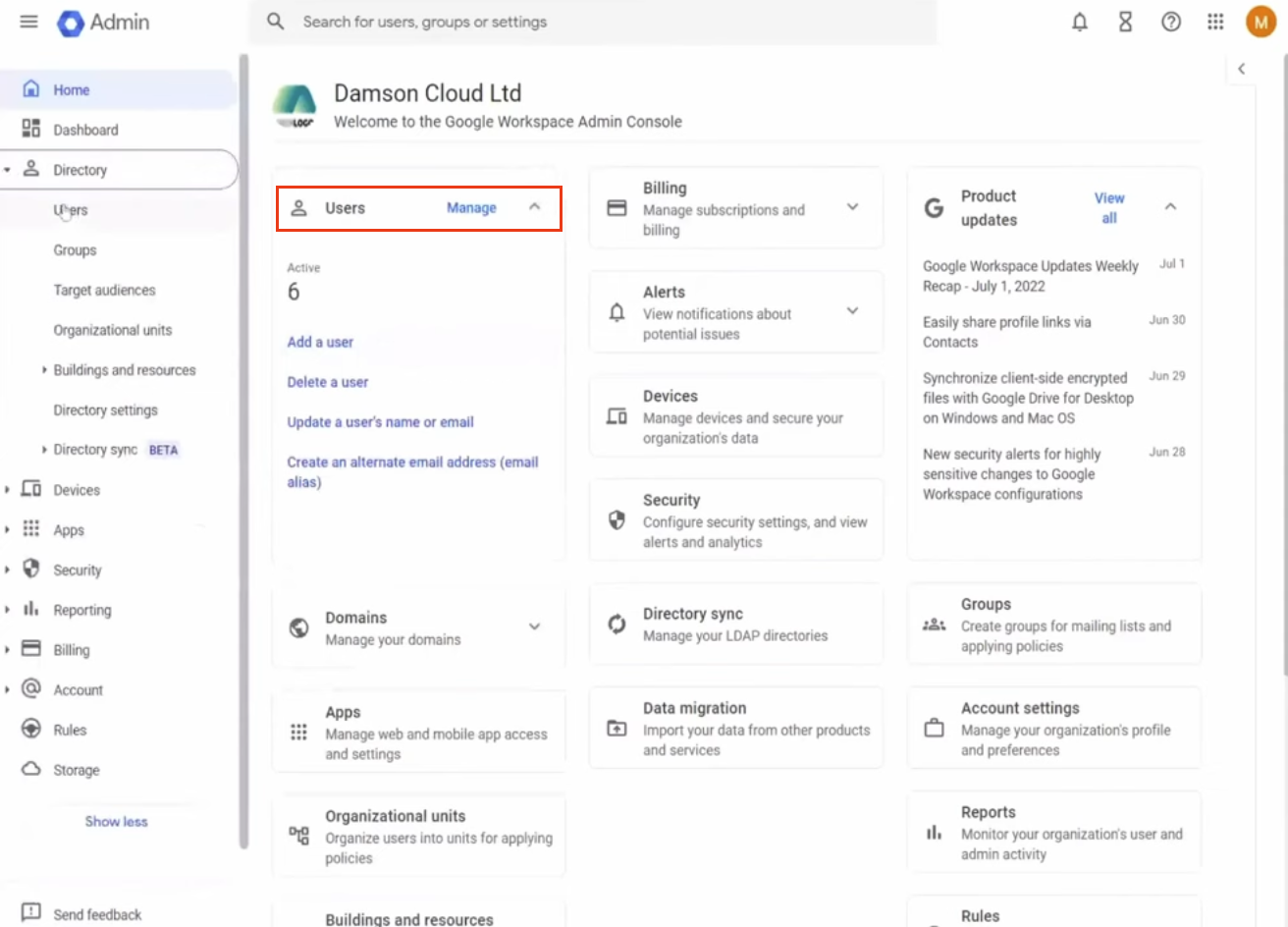
Sign in to the Google Admin Console at admin.google.com.
-
Click Users.
-
Click Add a user.
-
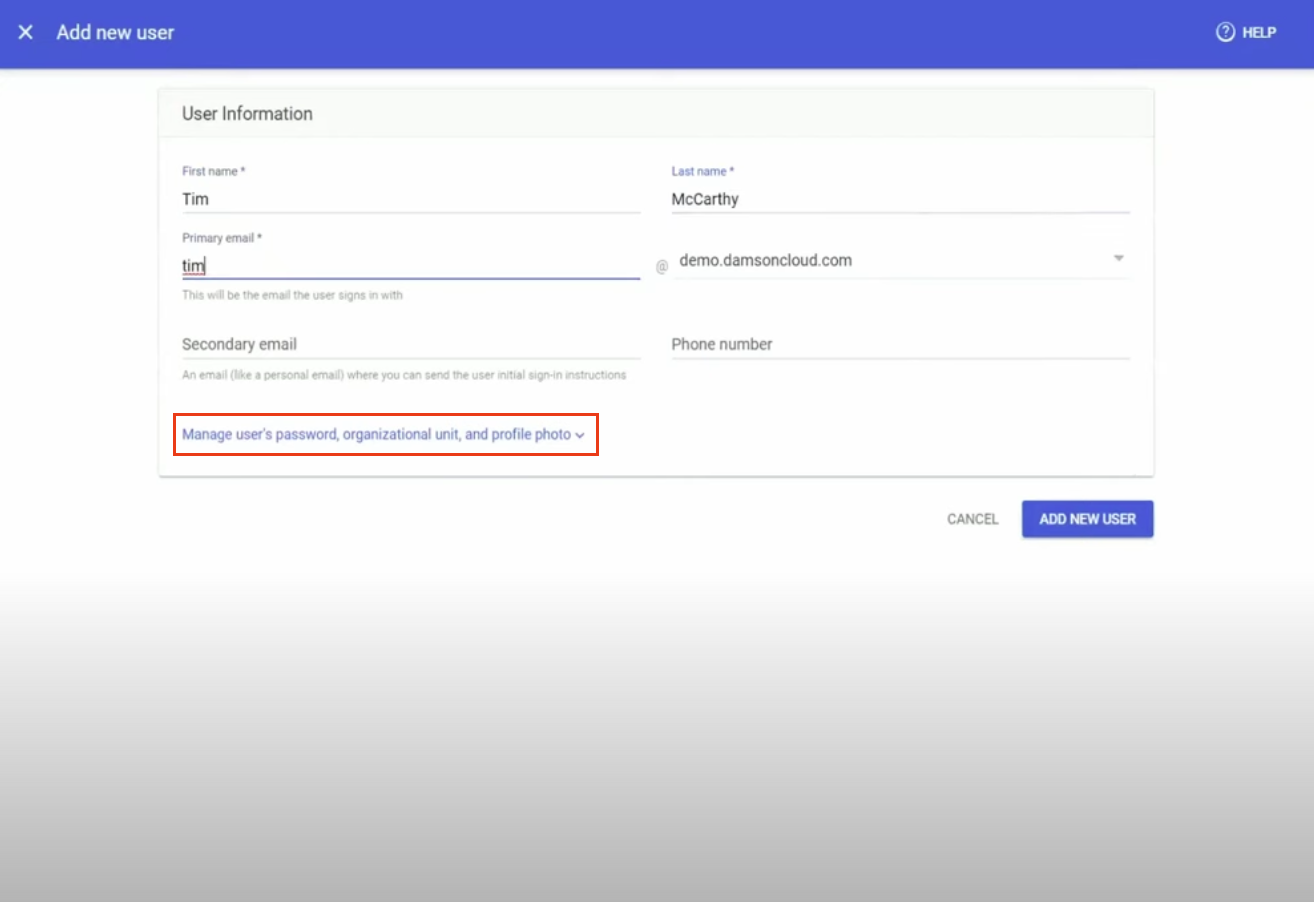
Enter the following details:
Field Value First name deeploi Last name admin Primary email deeploi@yourcompanydomain.com Secondary email customer_admin@deeploi.io -
Click "Manage user's password, organisational unit, and profile photo."
-
Set the organisational unit to Admin Users. Click the pencil icon next to the organisational unit field to change it.
-
Click Add new user.
-
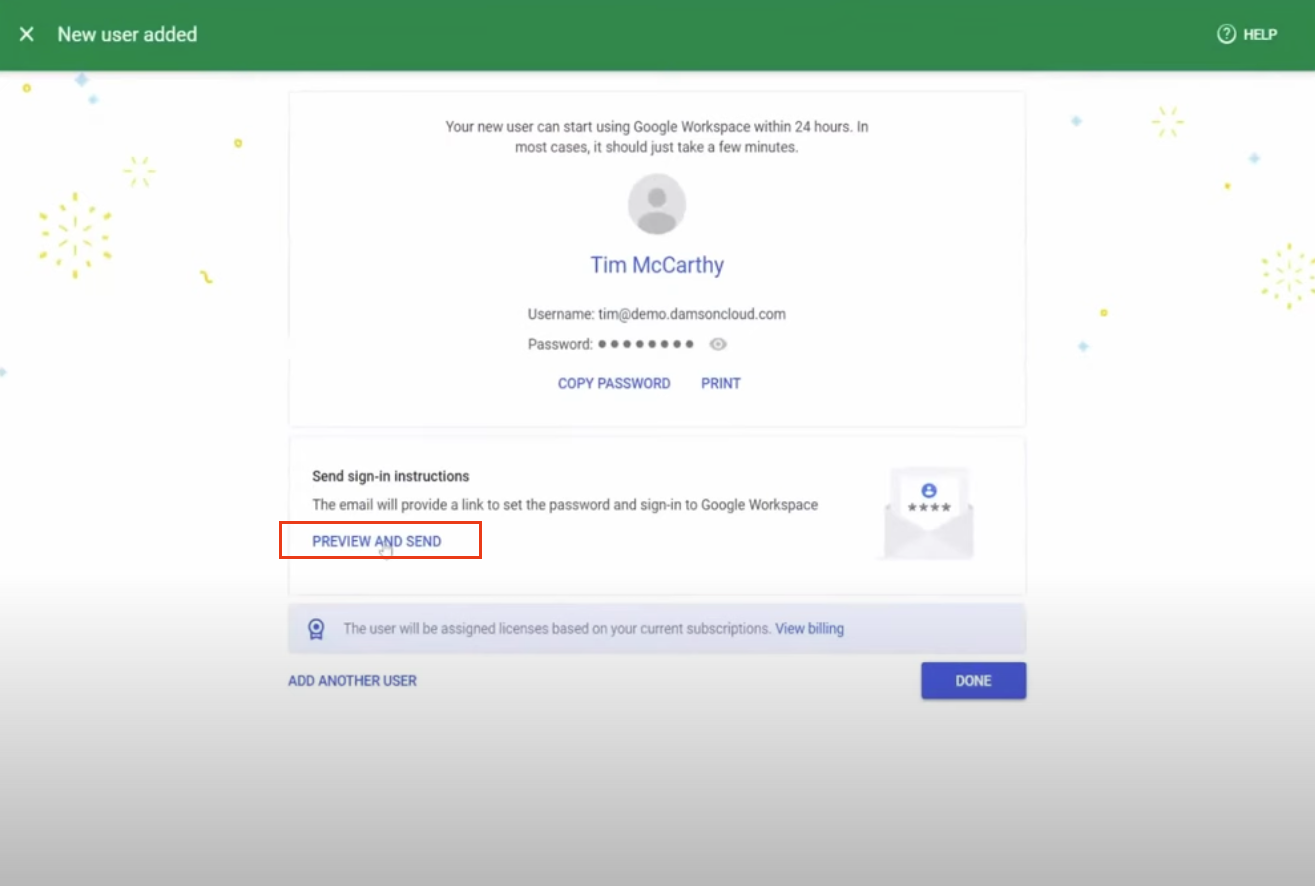
Under "Send sign-in instructions", click Preview and send.
-
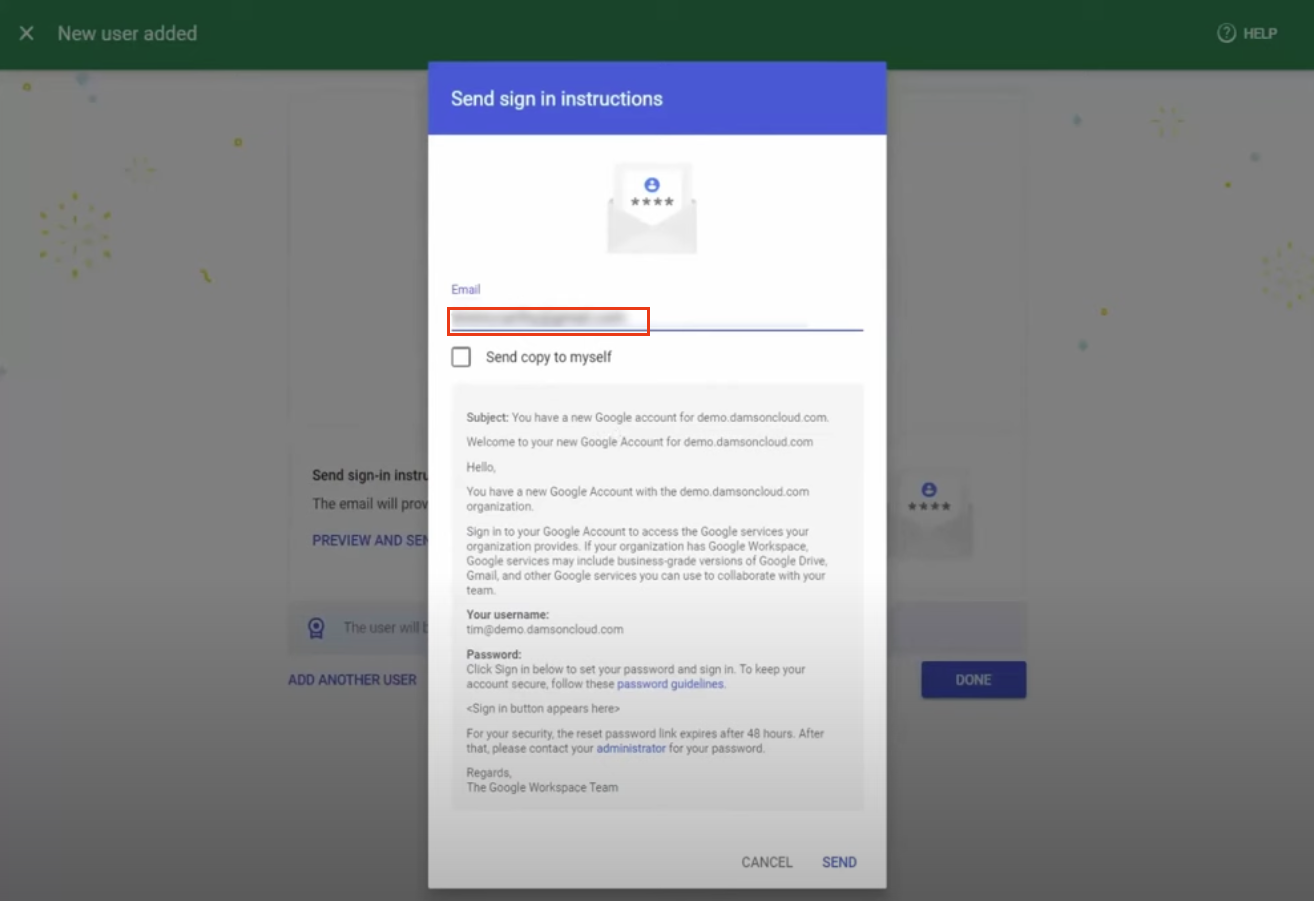
Confirm that customer_admin@deeploi.io is listed as the recipient for the sign-in instructions.
-
Click Send.
Screenshots