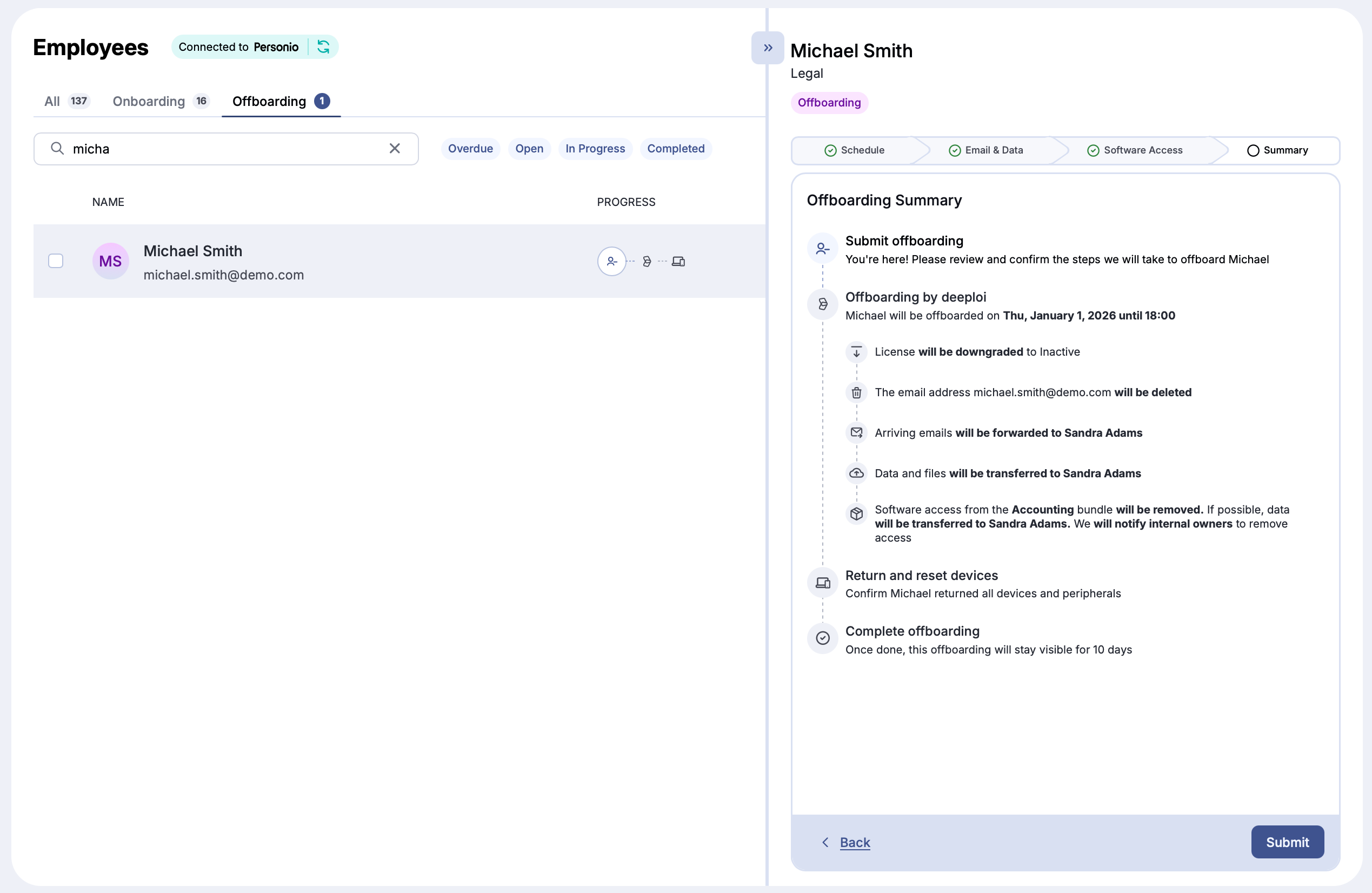
What's in the offboarding form?
You open the offboarding form from the employee's profile, as described in Offboarding Process. The form opens as a full page and has four steps: Schedule, Email & Data, Software Access, and Summary. Email & Data only appears if your Google Workspace or Microsoft 365 is connected to deeploi. Click Continue (lower right) to move on and Back (lower left) to return.
Schedule Offboarding
Set when the offboarding runs.
| Field | What it does |
|---|---|
| Last day of work | The employee's last working day. If the date is already on file, for example from your HR system, it is shown here and can't be changed in the form. |
| Date and Time under Offboarding runs on | When deeploi removes access to the employee's workspace account (Google Workspace or Microsoft 365). This time does not apply to other software accounts in the bundle, see Software Access below. Pick any date from today on and a full hour. The date defaults to the last day of work and the time to 14:00. The time uses your browser's time zone. |
If the date falls on a weekend, deeploi completes the offboarding on the next business day. deeploi starts within about an hour of the time you set.
This does not update or change any data in your HR system.
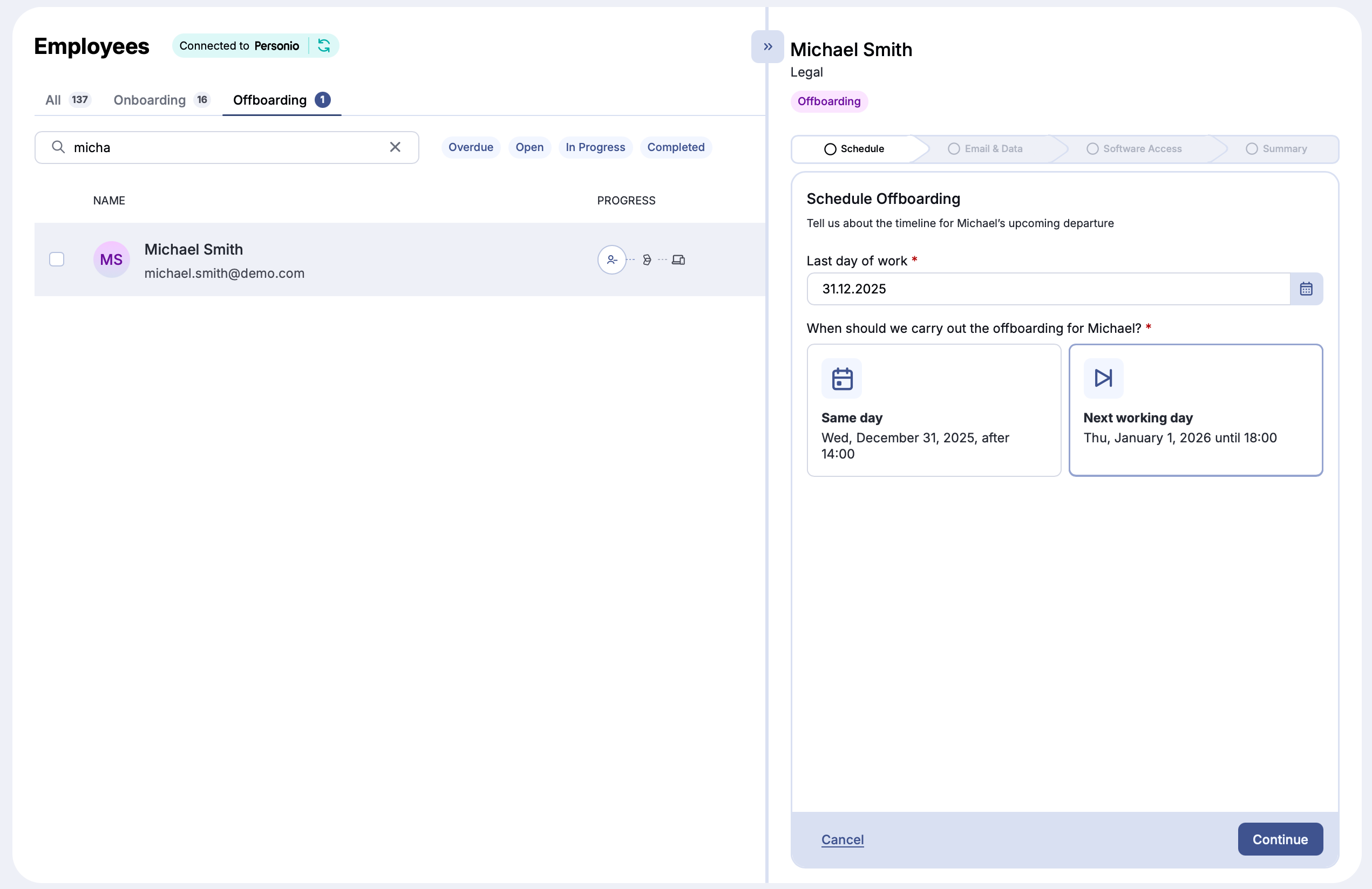
Email and Data
Choose what happens to the employee's email account and data. Every offboarding starts with the defaults from Settings → Offboarding. You can change them for this employee. If you change something, Restore Defaults brings back the starting values.
Each option is a Yes or No choice. The options depend on your workspace.
| Option | What it does |
|---|---|
| Suspend account | Prevents the employee from signing in and accessing services |
| Archive account | Keeps all data at a reduced license cost. Only shown if archiving is turned on for your company. |
| Transfer data ownership | Makes a colleague the owner of the employee's Google Drive and Docs, Calendar, and Looker Studio data |
| Account deletion | When the account is deleted: Immediately, After 30 days, After 60 days, After 90 days, Don't delete, or Custom (pick a date) |
| Keep email address as an alias | After the account is deleted, incoming emails to the old address go to a colleague. Not shown if you chose Don't delete. |
| Option | What it does |
|---|---|
| Block sign-in | Blocks the employee from signing in on their last day |
| Shared mailbox | Converts the mailbox to a shared mailbox and gives the people you select access to it |
| Forward emails | Forwards incoming emails to one colleague. A copy stays in the mailbox. |
| Share data access | Gives one colleague access to the employee's OneDrive files. The employee's account stays the owner. |
| Auto-reply | Sends senders an automatic message that the employee has left. deeploi fills in the message from your settings. You can edit it. |
| Account deletion | When the account is deleted: Immediately, After 30 days, After 60 days, After 90 days, Don't delete, or Custom (pick a date) |
If you choose to keep the account and turn off the other options, deeploi warns you that the account and its paid license stay. Manage them yourself in that case.
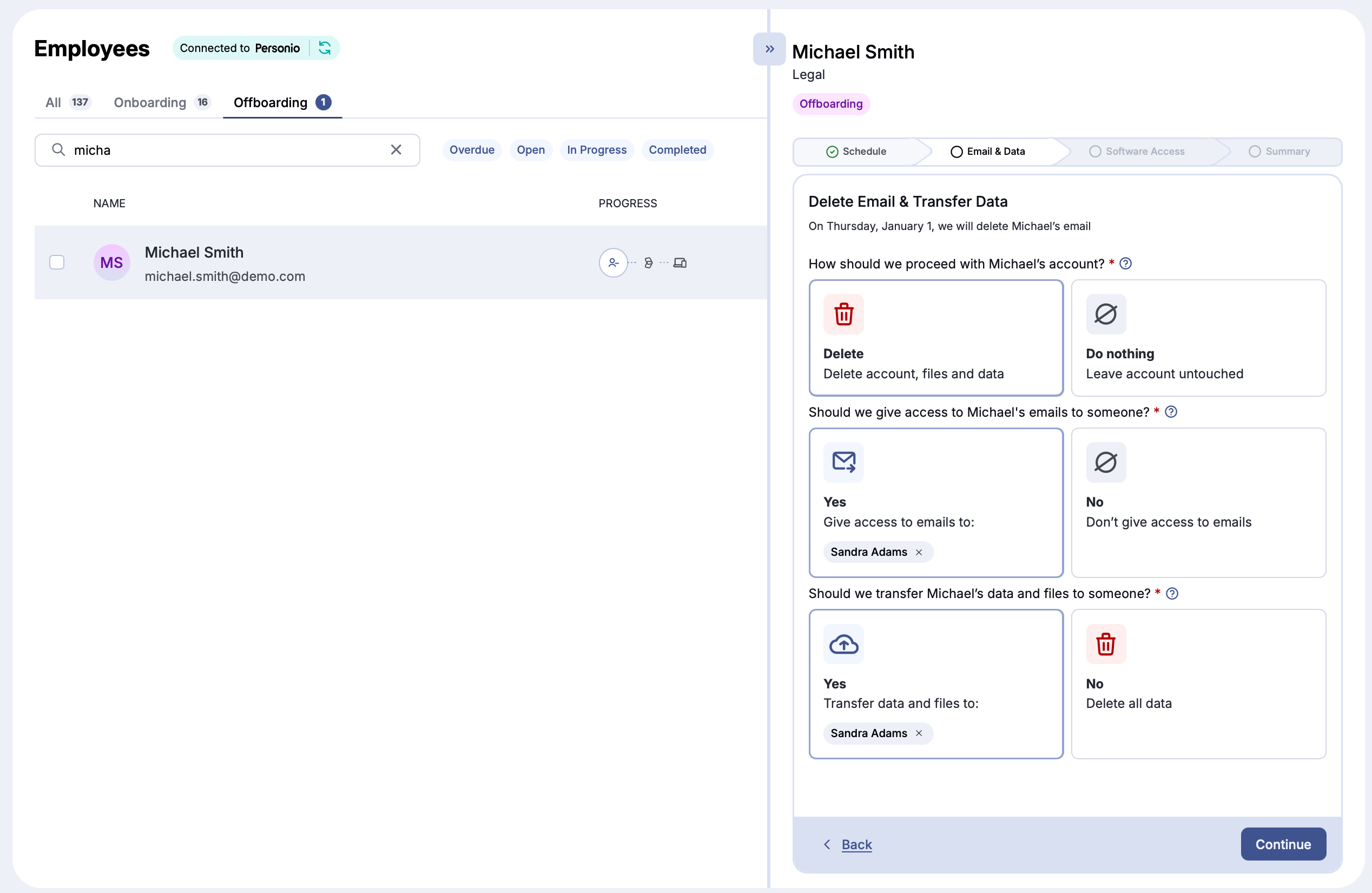
Auto-Reply and Email Forwarding (Microsoft 365 only)
For Microsoft 365 customers, the Email & Data step of the offboarding form includes Forward emails and Auto-reply. Use them to forward incoming emails to a colleague, or to send senders an automatic message that the employee has left. Both are separate from the mailbox access options above.
Software Access
The Bundle field shows the employee's bundle. If no bundle is assigned, select one, or deeploi removes no software access. You can also choose one employee to receive data from the software accounts where transfer is supported.
| Section | What happens |
|---|---|
| Access to be removed by deeploi | deeploi removes access to each app in this list. All apps are selected by default. Deselect an app to keep the employee's access. |
| Access to be removed by internal owners | For apps managed by someone on your team, deeploi emails that person to remove access manually. By default, the email goes out 10 days after the last day. |
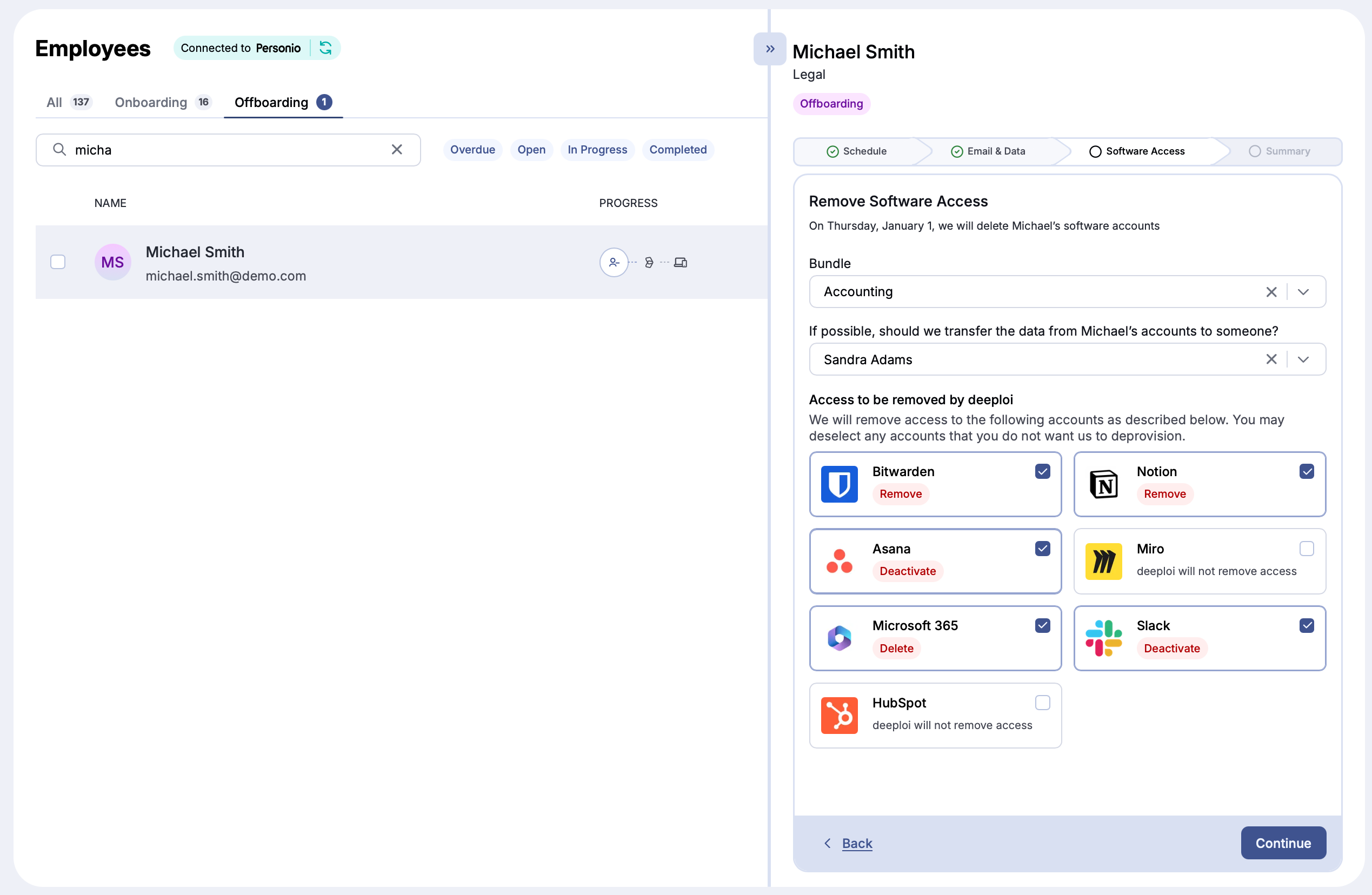
Submit
Before submitting, deeploi shows a summary of all your selections as a timeline. Click Back (lower left) to make changes, or Submit (lower right) to start the offboarding.