

Dashboard
The dashboard is your central view of everything happening in your deeploi setup. See what still needs to be done through your to-dos, track open and resolved tickets in support requests, and get a clear read on the status of your devices, employees, and security. Everything else in the platform is one click away from the left sidebar.
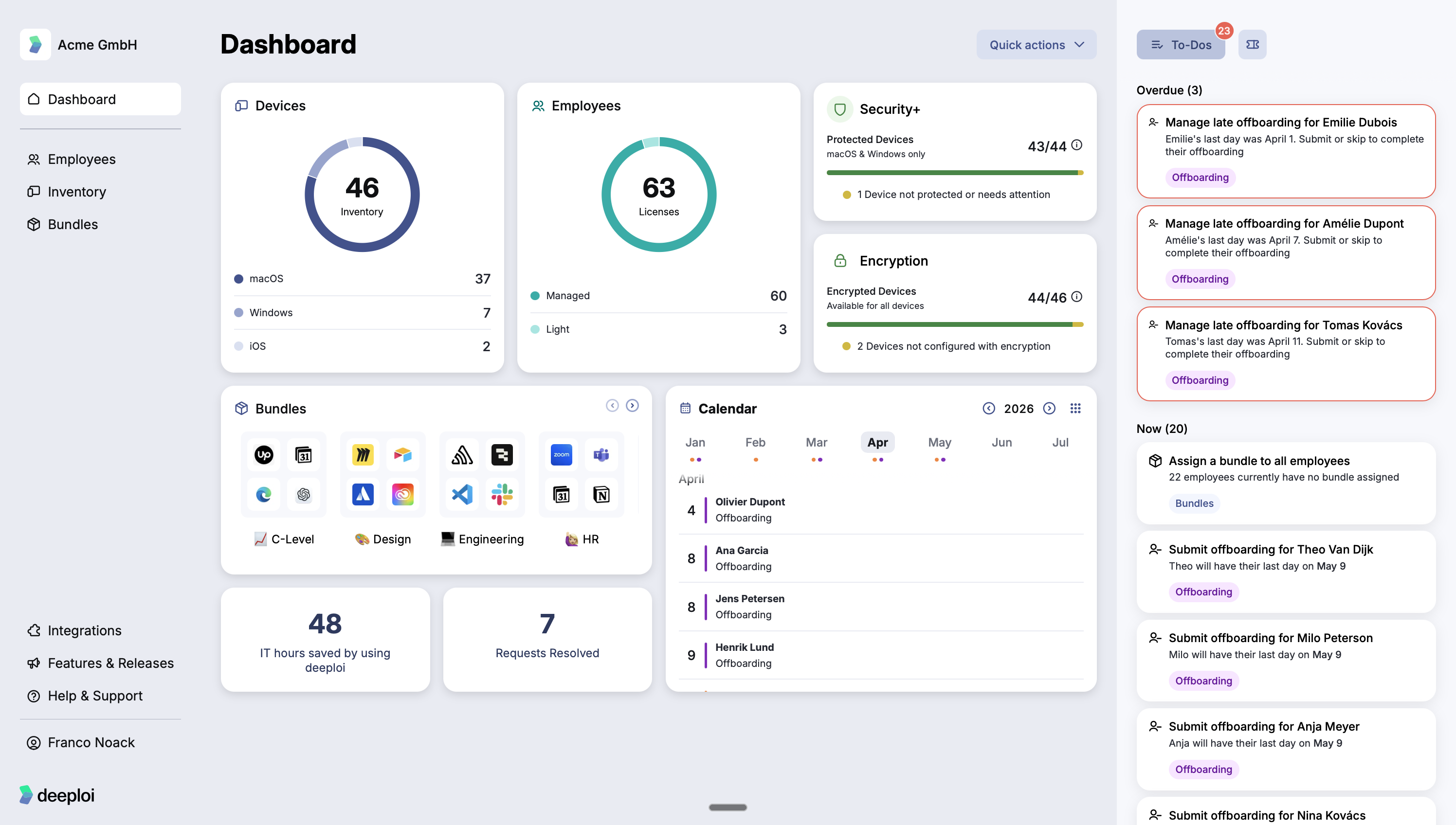
To-Dos
deeploi monitors your setup and surfaces tasks that require your input, organized by urgency:
| Urgency | What it shows | What to do |
|---|---|---|
| Overdue | Actions that are past due, highlighted immediately. A common example is a late offboarding: an employee whose last day has passed but whose accounts and access have not been processed yet. | Act on these first. |
| Now | Tasks that need to be completed as soon as possible. For example, employees with no bundle assigned, or upcoming offboardings that need to be submitted. | Work through these in order. |
| Later | Upcoming events you can review at your own pace, such as future onboardings and offboardings. | No immediate action needed. |
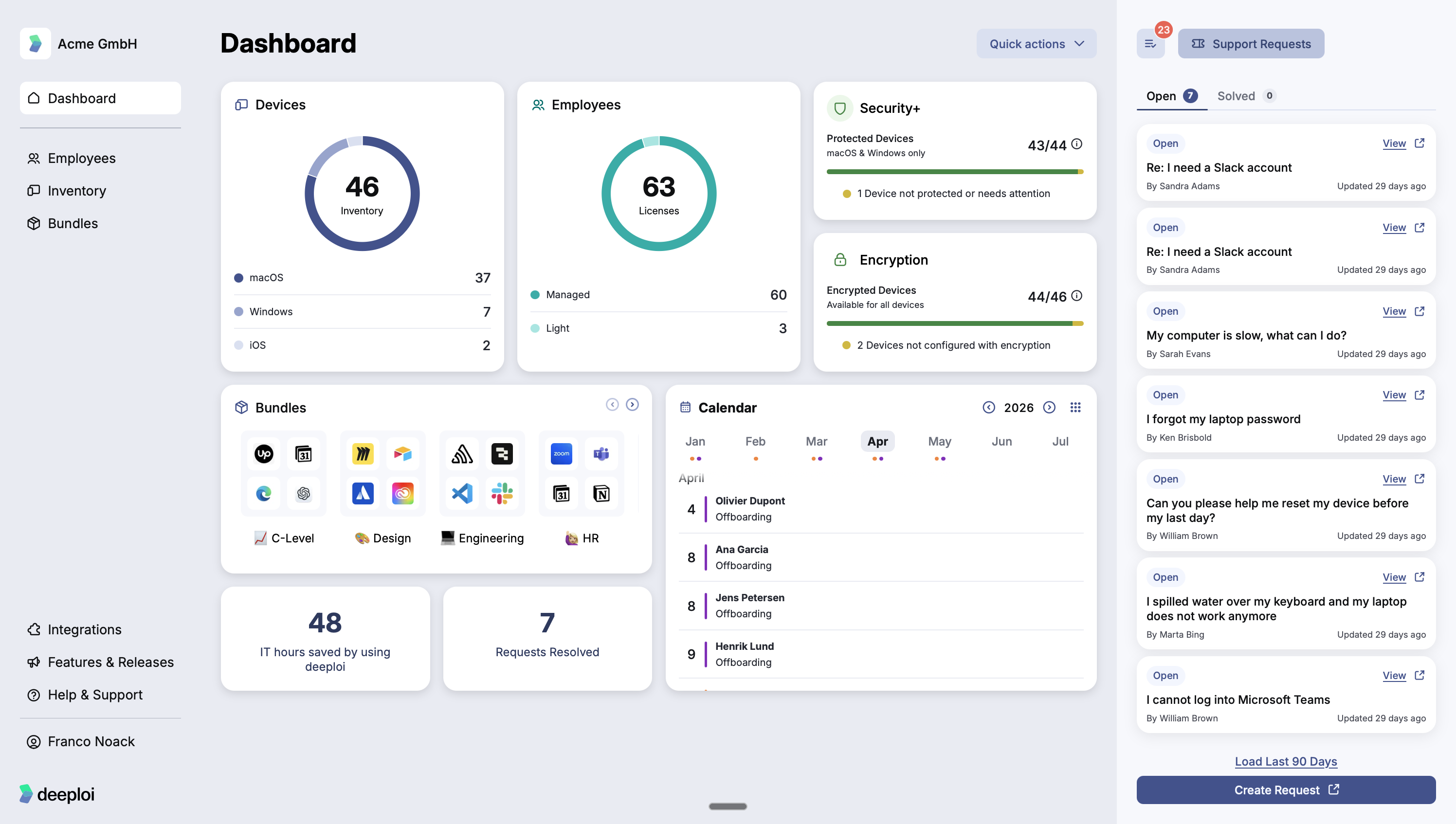
Support Requests
Support Requests shows all tickets submitted by your employees. You can view, reply to, and resolve tickets, or create a new request on an employee's behalf.
Devices
Devices shows the total number of work devices connected to deeploi, broken down by operating system: macOS, Windows, and iOS.
Employees
Employees shows how many licenses are active in deeploi. deeploi has two license types:
| License | Who it is for |
|---|---|
| Managed | Employees with a dedicated work device connected to deeploi |
| Light | Employees without a dedicated work device, for example someone who only needs an email address or app access |
| Not Managed | Individuals tracked in deeploi who do not need IT management or company device access. Not billed. |
Managed and Light licenses are priced differently. You can change a license type or manage your licenses directly in the platform. Not Managed licenses are free.
Security
Security covers two areas of device protection. deeploi tracks the status of both and flags any devices that need attention.
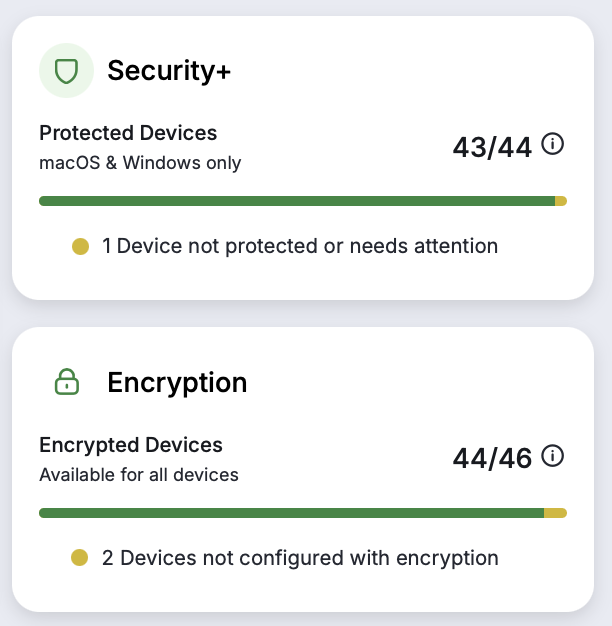
Encryption is a built-in feature available on all devices. It encodes all data stored locally on each device, making it unreadable without the correct key. This protects your company's data if a device is lost or stolen.
Security+ is an add-on service that runs endpoint protection software on each device, actively defending against malware, cyber threats, and unauthorized access attempts. It covers macOS and Windows only. Contact your customer success manager to enable it.
Bundles
Bundles gives you a quick overview of the bundles you have set up and the apps included in each one. Click any bundle to open it and make changes.
Calendar
The Calendar shows upcoming onboarding and offboarding events across your team, organized by month. Use it to stay ahead of upcoming changes and make sure each employee's setup is ready before their start date.