How do I add deeploi as an admin to Microsoft 365?
What is a How do I add deeploi as an admin to Microsoft 365??
Adding deeploi as a Global Administrator to Microsoft 365 gives deeploi the access needed to manage your workspace. This takes about 10 minutes.
Adding deeploi as a Global Administrator to Microsoft 365 takes about 10 minutes. You must already be a Global Administrator yourself to grant admin rights to others.
What does the video cover?
- Navigating to user management. Opening admin.microsoft.com and finding the user addition flow.
- Creating the deeploi admin account. Entering the required user details and setting the admin email for password delivery.
- Assigning the Global Administrator role. Selecting the correct license and role settings.
- Completing the invitation. Reviewing and finishing the account creation.
Steps
-
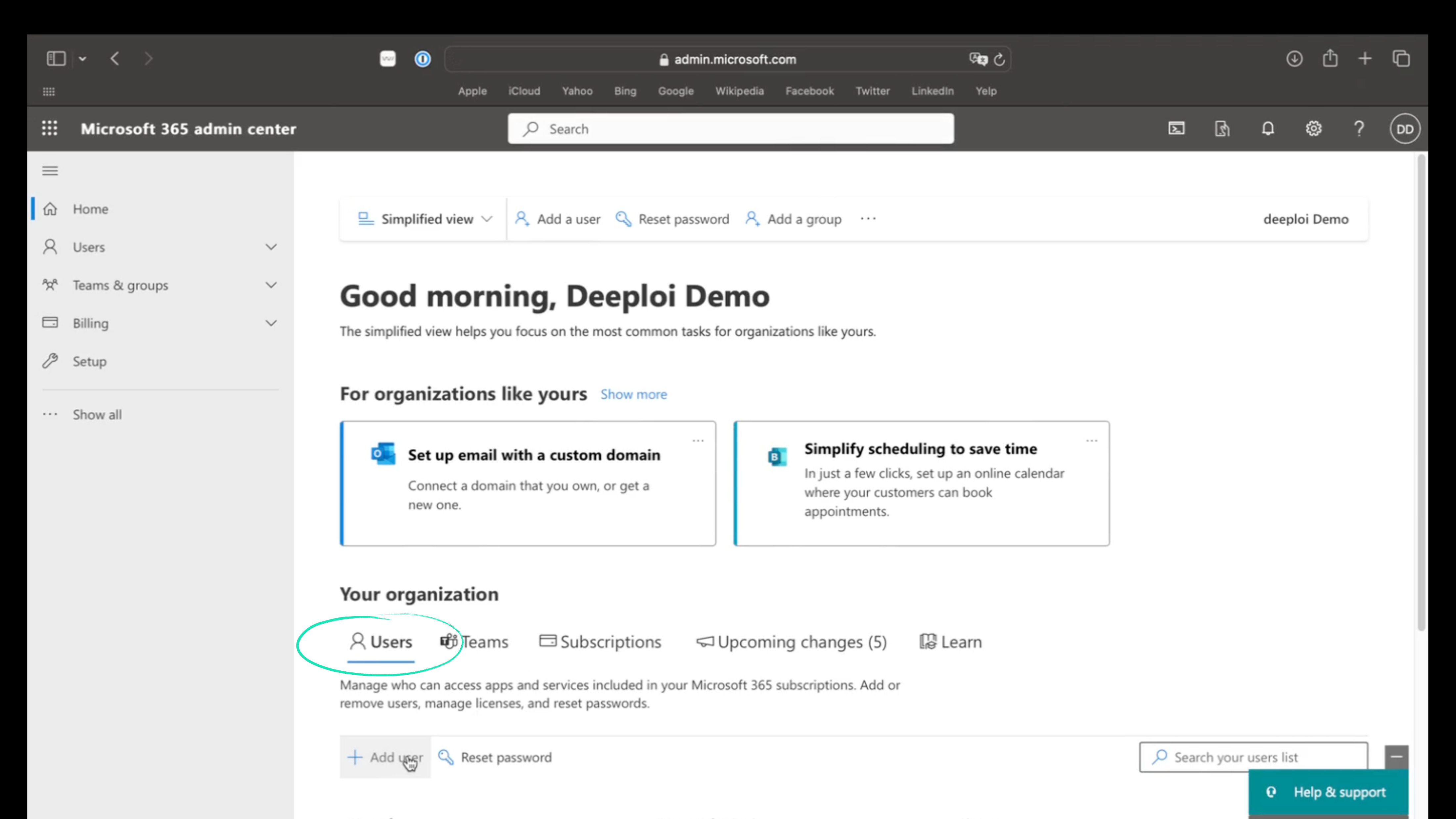
Go to admin.microsoft.com and sign in with your credentials.
-
Click + Add user.
-
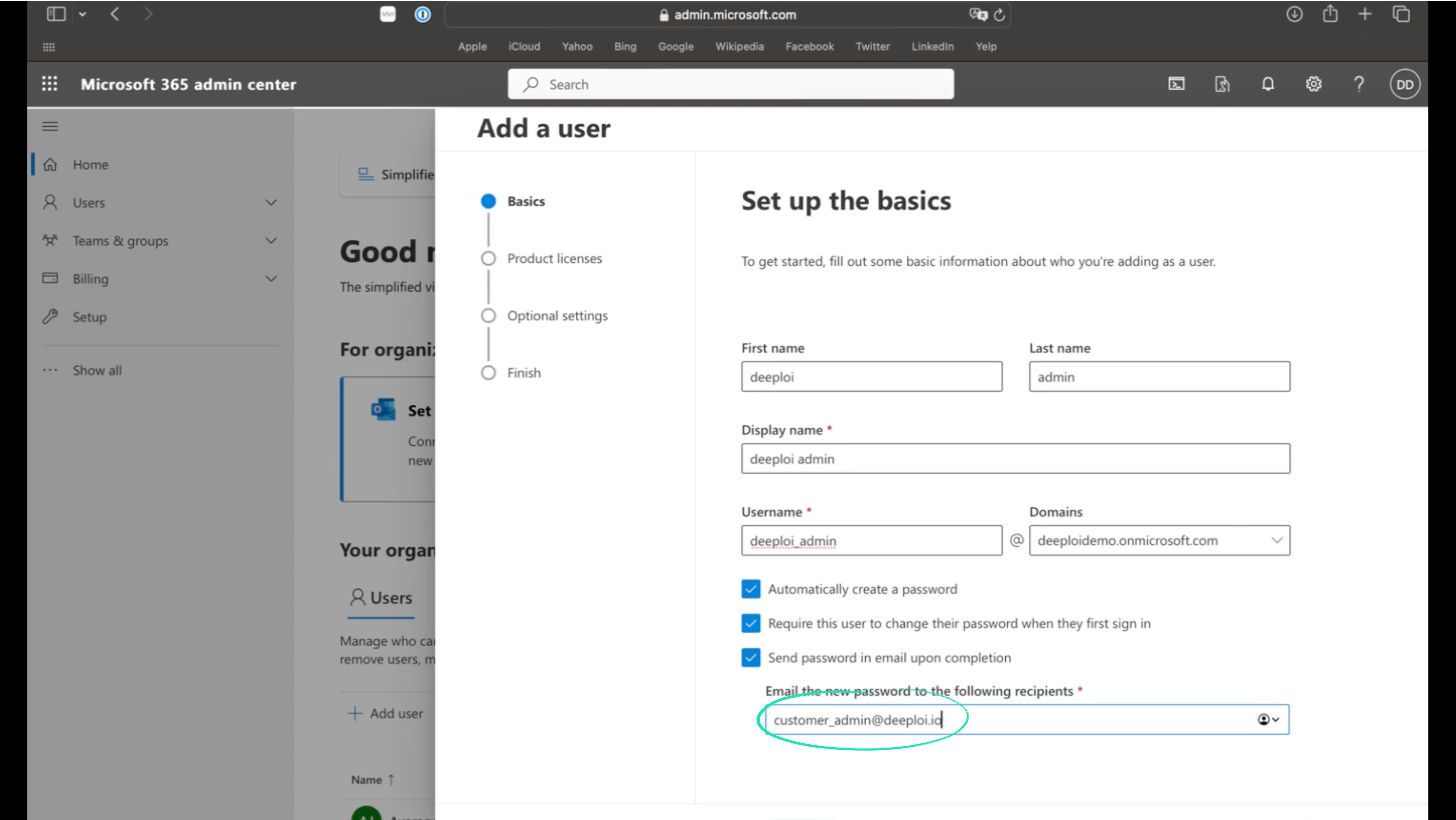
Enter the following details:
Field Value First name deeploi Last name admin Display name deeploi admin Username deeploiadmin@yourcompanydomain.com -
Check these three boxes:
- Automatically create a password
- Require this user to change their password when they first sign in
- Send password in email upon completion
In the "Email the new password to the following recipients" field, enter customer_admin@deeploi.io.
-
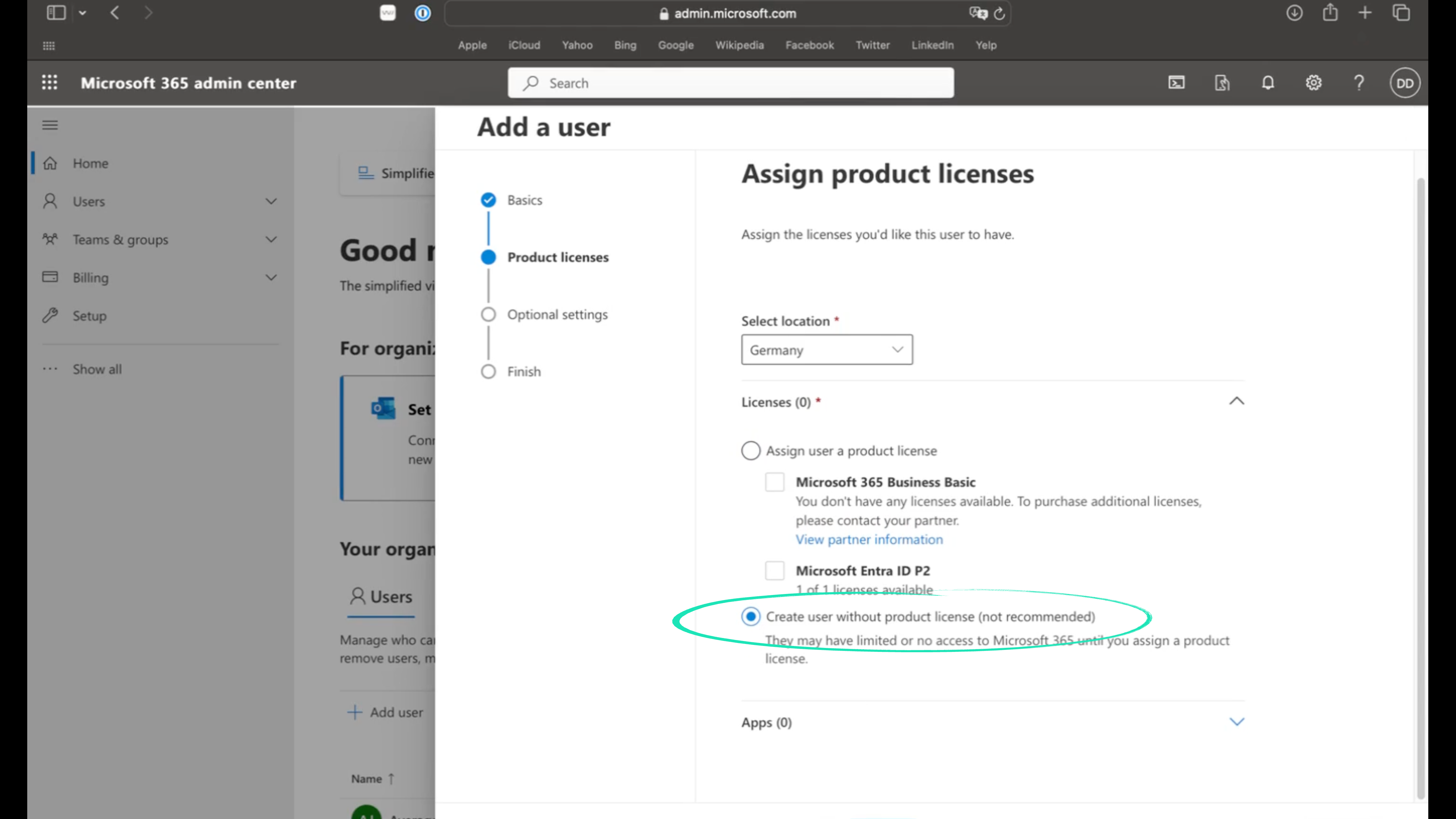
Select your location (for example, Germany).
-
Choose "Create user without product license."
-
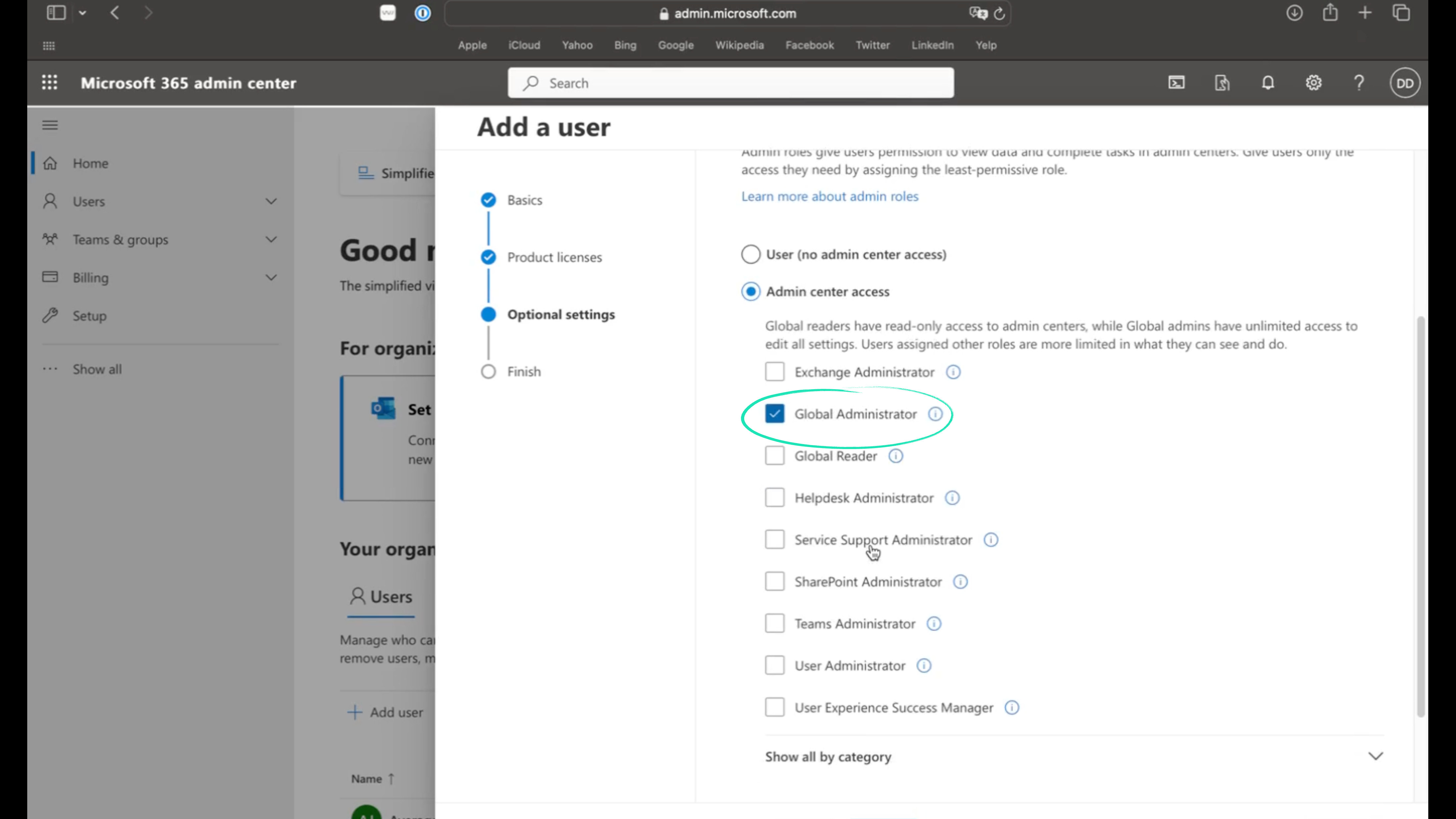
Click Admin center access and select Global Administrator.
-
Click Next, review the details, then click Finish adding.
Screenshots