

Onboarding Process
What is a Onboarding Proces?
The onboarding process is a five-step workflow that prepares accounts, devices, and access before a new employee's first day.
The onboarding process has five steps. Steps 3 and 5 are optional and only apply if the new employee receives a device.
Step 1: Add the new employee to deeploi
Before onboarding can start, the employee must exist in deeploi. How you add them depends on whether you use an HR system.
Step 2: Fill out the onboarding form
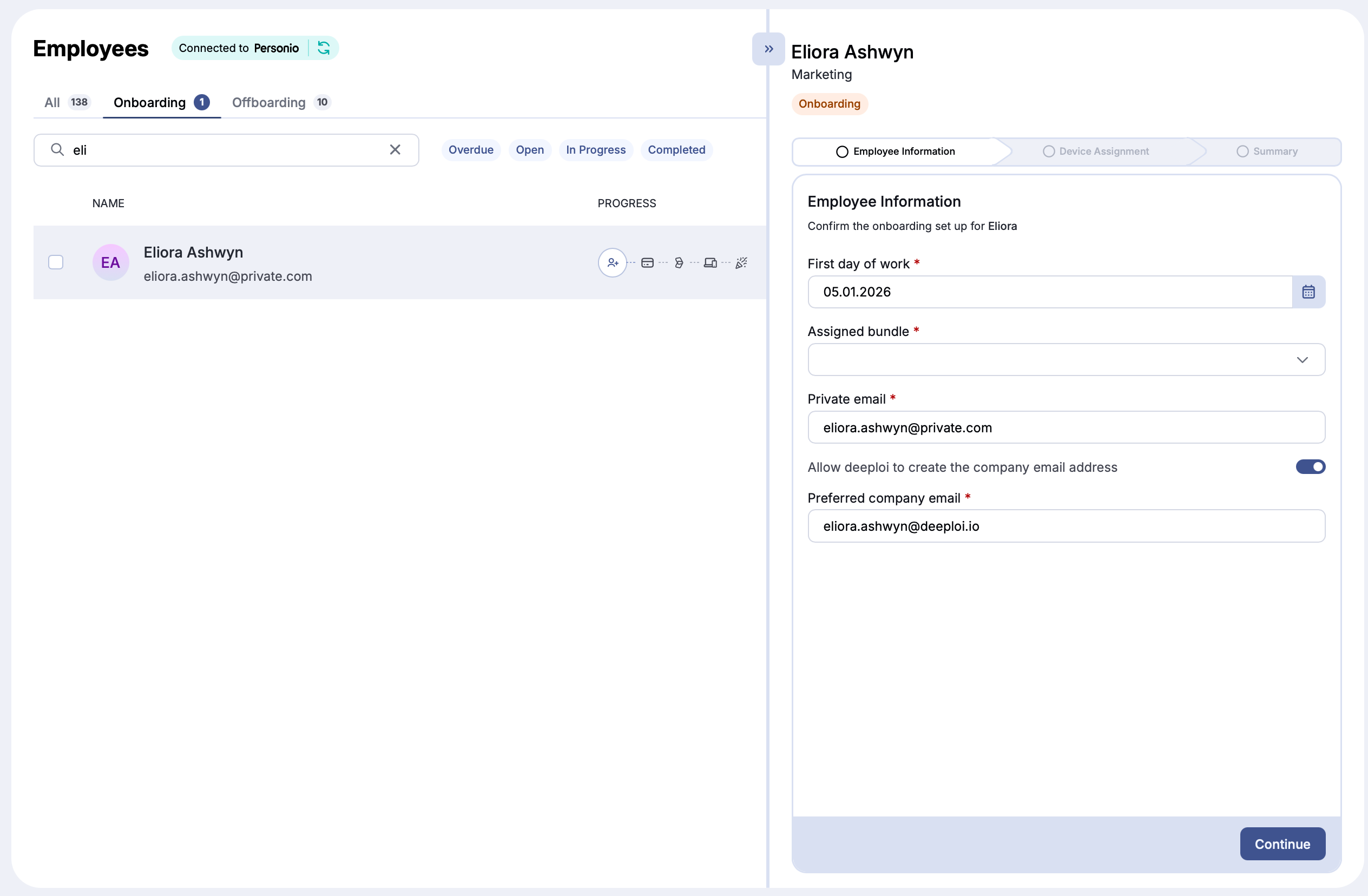
Once the employee exists in deeploi, the onboarding form appears automatically under Employees → Onboardings. deeploi also sends weekly reminders for upcoming onboardings.
Open the form and complete it with the employee's start date, preferred company email address, and bundle.
Submit at least 4 days before the start date.
Account preparation starts only after you submit the form. If the form arrives late, deeploi cannot set up accounts and apps in time.
Step 3: Confirm the device order (optional)
If you selected a device or peripheral in the onboarding form, deeploi coordinates the order and contacts you when your input is needed. You will typically receive a checkout or confirmation link by email that must be completed on time.
| Device type | Delivery time |
|---|---|
| Catalog devices | Up to 2 weeks |
| Custom or non-catalog devices | Longer, varies |
Step 4: Account creation and welcome emails
After you submit the form, deeploi creates accounts on this schedule:
| Action | When |
|---|---|
| Email account created | 14 days before the start date |
| Software accounts prepared | 4 days before the start date |
| Welcome email sent (with temporary password) | 4 days before the start date |
To adjust these timings, contact hello@deeploi.io.
Step 5: Device registration reminder (optional)
If a device was selected in the onboarding form, deeploi automatically reminds the employee to connect their work device to deeploi. This is required so the device can be managed, encrypted, and configured with the right software.
If the employee does not register the device after a certain time, deeploi notifies you so you can follow up.